Key Takeaway
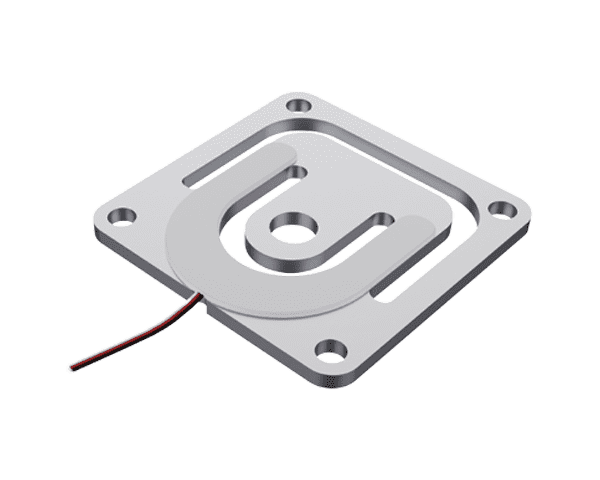
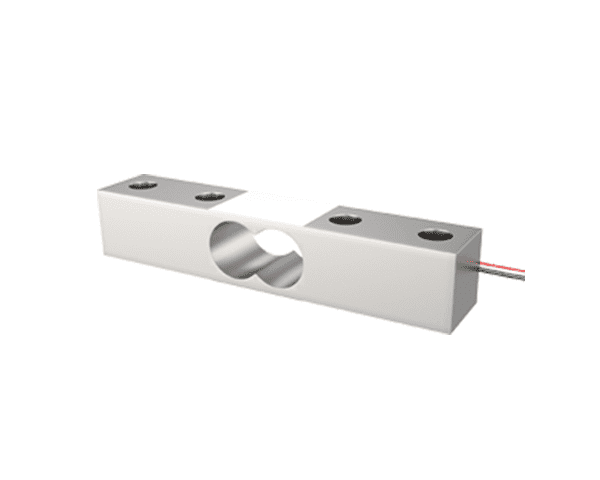
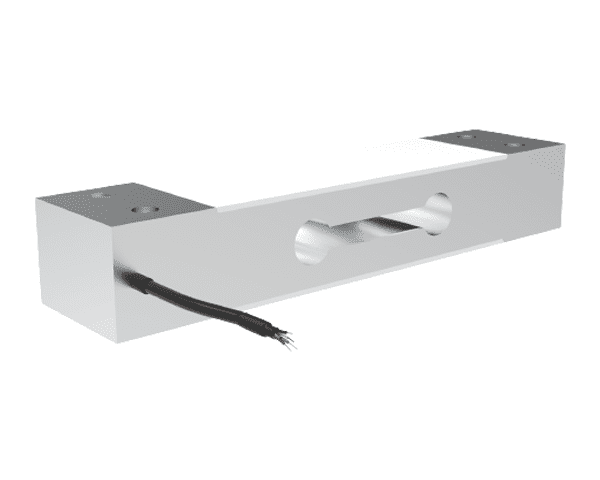
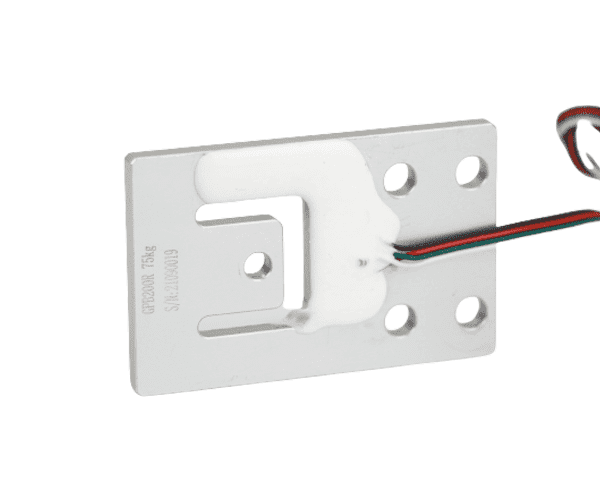
GALOCE offers two optimized load-cell paths for smart cafeteria self-service weighing stations: the analog GPB100R single-point cell for cost-sensitive platforms, and the GPB-D series digital load cells (GPB100D, GPB110D, GPB144D, GPB151D, GPB158D) for modern, fully digital smart cafeterias that need RS485/RS232 output, faster installation, and easier multi-station calibration.
-
GPB100R: C3 accuracy, ±0.02% F.S, IP65, max platform 250×350 mm — proven analog choice
-
GPB-D series: 50–100 kg capacity, 1/2 g division, digital output, multiple platform sizes
-
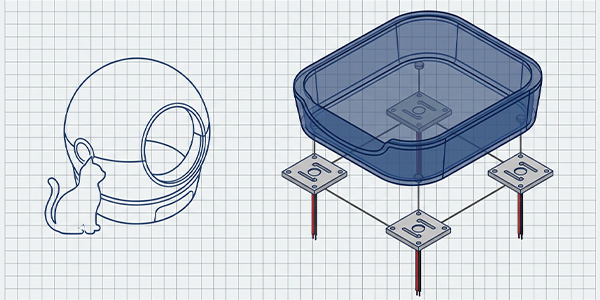
Single-sensor design eliminates corner sensors and junction boxes in both families
-
IP65 rated for daily spill and splash resistance in food-service environments
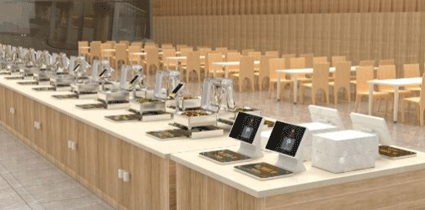
Traditional canteens rely on manual serving and code-scanning payments — a model plagued by dine-and-dash incidents, inconsistent portion sizes, long queues, and significant food waste. Smart cafeteria self-service weighing systems, powered by precision load cells like the GALOCE GPB100R and the digital GPB-D series, are transforming the dining experience by enabling diners to serve themselves, pay by weight, and settle instantly at the tray. This article explores the technology behind these systems and how to choose the right sensor for your deployment.
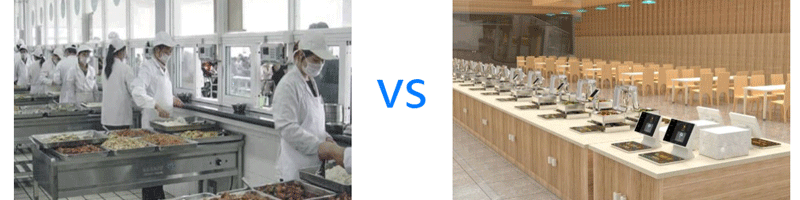
Challenges of Traditional Canteen Operations
Before examining the smart solution, it is important to understand the pain points that drive canteen operators to seek change:
|
Challenge
|
Root Cause
|
Operational Impact
|
|
Dine-and-Dash
|
QR-code payment relies on diner honesty
|
Revenue loss estimated 3–8% of daily sales
|
|
Inconsistent Portions
|
Manual scooping varies by server
|
Customer complaints, perceived unfairness
|
|
Long Queues
|
Server bottleneck at each dish station
|
Peak-hour wait times exceed 10 minutes
|
|
Food Waste
|
Fixed portions exceed appetite
|
20–30% of food discarded daily
|
|
High Labor Cost
|
One server per dish station
|
Staffing accounts for 30–40% of operating cost
|
|
No Nutrition Data
|
No per-item weight tracking
|
Cannot support dietary or health initiatives
|
How Smart Cafeteria Weighing Systems Work
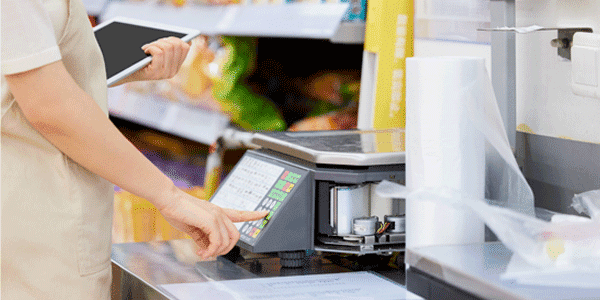
A smart cafeteria self-service weighing station replaces the traditional server-and-cashier model with an integrated tray-scale-payment terminal. The diner places their tray on the scale, the system instantly reads the net weight (subtracting the tray tare), multiplies by the per-gram price, and displays the total. Payment is completed via facial recognition, campus card, or mobile QR code — all within seconds.
6-Step Workflow
|
Step
|
Action
|
Technology Involved
|
Duration
|
|
1
|
Diner places empty tray on scale
|
GPB100R / GPB-D load cell detects weight; MCU records tare
|
~1 s
|
|
2
|
Diner selects dishes onto tray
|
Load cell continuously tracks weight delta
|
Variable
|
|
3
|
System calculates total weight
|
24-bit ADC (analog) or direct digital weight stream (GPB-D)
|
~0.5 s
|
|
4
|
Price computed per-gram rate
|
MCU multiplies net weight × unit price; displays on screen
|
Instant
|
|
5
|
Diner authenticates & pays
|
Face recognition / campus card / QR scan
|
2–3 s
|
|
6
|
Transaction logged to cloud
|
Wi-Fi / 4G upload to management dashboard
|
Background
|
System Architecture
A complete smart cafeteria weighing system consists of the following hardware and software layers. The GPB-D series removes the separate ADC module because the sensor digitizes weight internally and streams it over RS485 or RS232:
|
Layer
|
Analog System (GPB100R)
|
Digital System (GPB-D Series)
|
|
Sensing
|
GPB100R single-point load cell
|
GPB100D / GPB110D / GPB144D / GPB151D / GPB158D
|
|
Signal Conditioning
|
HX711 24-bit ADC module
|
Integrated inside the sensor; no external ADC
|
|
Processing
|
MCU (ARM Cortex-M)
|
MCU receives calibrated digital weight directly
|
|
Display
|
7-segment / LCD touchscreen
|
7-segment / LCD touchscreen
|
|
Payment
|
Face camera / Card reader / QR scanner
|
Face camera / Card reader / QR scanner
|
|
Connectivity
|
Wi-Fi / 4G / Ethernet
|
Wi-Fi / 4G / Ethernet
|
|
Cloud Platform
|
SaaS management dashboard
|
SaaS management dashboard; daisy-chain RS485 simplifies multi-station wiring
|
Key Benefits of Smart Cafeteria Systems
|
Benefit
|
Description
|
Quantified Impact
|
|
Self-Service Flexibility
|
Diners freely choose dishes and portions, creating a personalized dining experience
|
+25% customer satisfaction
|
|
Gram-Level Precision
|
Intelligent scales measure to the gram, calculate price by weight — fair and transparent
|
±1 g resolution, 0% pricing disputes
|
|
Waste Reduction
|
Diners take only what they need; kitchen adjusts production based on real consumption data
|
–30 to –50% food waste
|
|
Labor Savings
|
No server or cashier needed; one staff member can oversee multiple stations
|
–60% front-line staffing
|
|
Nutritional Transparency
|
Real-time display of calories, protein, fat, and carbs per dish based on weight
|
Supports health & dietary programs
|
|
Anti Dine-and-Dash
|
Payment required before tray leaves scale zone; facial recognition links each transaction
|
–99% revenue leakage
|
|
Data-Driven Operations
|
Cloud dashboard tracks dish popularity, peak hours, waste patterns for menu optimization
|
+15% revenue via menu optimization
|
Why Single-Point Load Cells Are the Right Choice for Smart Cafeteria
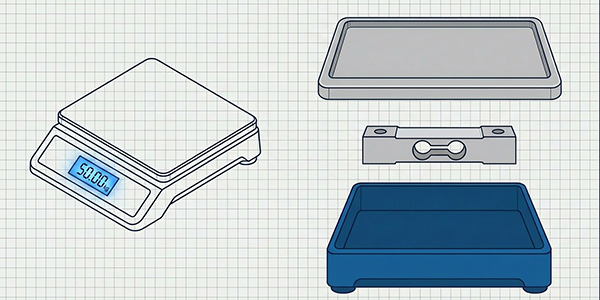
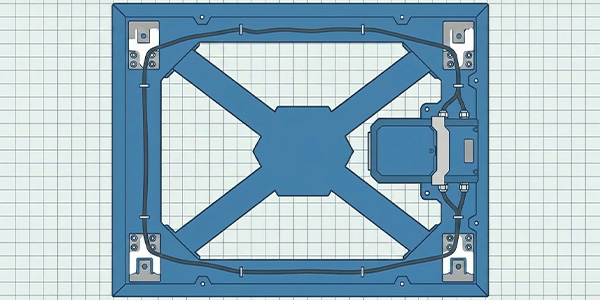
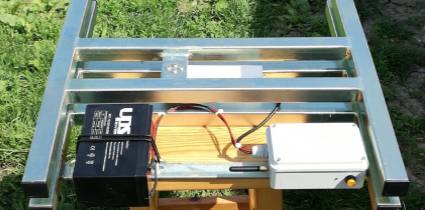
The load cell is the heart of any smart weighing station. GALOCE single-point load cells are engineered for platform-scale applications where one sensor supports the entire tray — no need for four corner sensors or complex junction boxes. Both the analog GPB100R and the digital GPB-D family excel in cafeteria environments:
|
Advantage
|
Feature
|
Cafeteria Benefit
|
|
Single-Sensor Simplicity
|
One load cell supports the entire platform
|
Eliminates junction box, reduces wiring, lowers cost
|
|
Off-Center Load Tolerance
|
Maintains accuracy even when tray is placed off-center
|
Diners don't need to center the tray — faster workflow
|
|
C3 Accuracy Class
|
±0.02% F.S combined error, 3,000 divisions
|
Gram-level precision for fair pricing down to ¥0.01
|
|
IP65 Protection
|
Dust-tight and water-jet resistant
|
Survives soup spills, splashes, daily cleaning
|
|
150% Safe Overload
|
Withstands 1.5× rated capacity without damage
|
Handles dropped trays, heavy pots, accidental impacts
|
|
Digital Output Option
|
GPB-D series provides RS485/RS232 output
|
Fewer cables, faster multi-station calibration, easier diagnostics
|
GPB100R — Analog Single-Point Load Cell
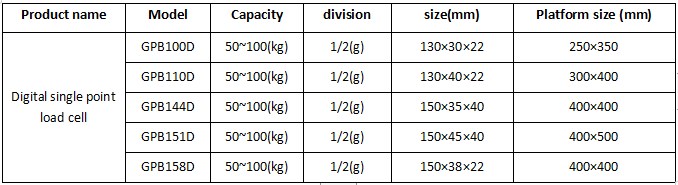
The GPB100R is the proven analog choice for smart cafeteria platforms that use an external HX711 ADC or a custom signal-conditioning board. It delivers C3 accuracy in a compact aluminum body and is ideal for cost-sensitive, medium-volume deployments.
|
Parameter
|
Value
|
Cafeteria Relevance
|
|
Rated Capacity
|
3, 5, 6, 10, 15, 20, 30, 50, 75, 100 kg
|
5–15 kg typical for individual tray; 30–50 kg for buffet station
|
|
Accuracy Class
|
C3
|
3,000 divisions — suitable for commercial cafeteria pricing
|
|
Combined Error
|
±0.02% F.S
|
On a 10 kg scale, error ≤ ±2 g — imperceptible to diner
|
|
Sensitivity
|
2.0 ± 0.2 mV/V
|
Strong signal output, compatible with HX711 ADC
|
|
Creep (30 min)
|
±0.016% F.S
|
Stable reading during prolonged lunch service
|
|
Max Platform Size
|
250 × 350 mm
|
Accommodates standard cafeteria trays
|
|
Protection Rating
|
IP65
|
Resists soup, sauce, beverage spills
|
|
Material
|
Aluminum alloy
|
Lightweight, corrosion-resistant, food-safe
|
|
Dimensions
|
130 × 30 × 22 mm
|
Compact for slim station design
|
|
Safe Overload
|
150% F.S
|
Survives dropped trays and heavy pots
|
|
Operating Temp.
|
–10 °C to +40 °C
|
Covers indoor cafeteria environment
|
|
Cable Length
|
500 mm (standard)
|
Reaches from sensor to ADC inside station
|
Featured: GPB100R at a Glance
GPB-D Series — Digital Single-Point Load Cells
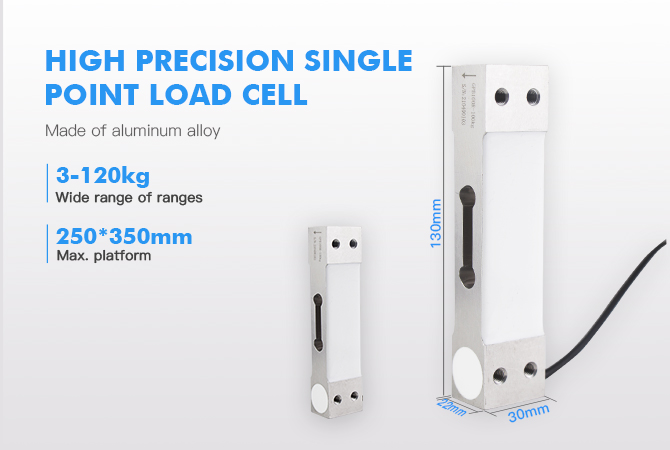
For modern smart cafeterias that need plug-and-play digital communication, reduced cabling, and centralized calibration, the GPB-D series is the recommended choice. These sensors integrate signal conditioning, A/D conversion, and digital communication inside the load cell body, outputting calibrated weight directly over RS485 or RS232. The table below shows the standard cafeteria-focused configurations:
|
Model
|
Capacity
|
Division
|
Sensor Size (mm)
|
Max Platform (mm)
|
Best For
|
|
GPB100D
|
50 – 100 kg
|
1 g / 2 g
|
130 × 30 × 22
|
250 × 350
|
Compact individual tray stations, retrofit projects
|
|
GPB110D
|
50 – 100 kg
|
1 g / 2 g
|
130 × 40 × 22
|
300 × 400
|
Standard self-service stations with larger trays
|
|
GPB144D
|
50 – 100 kg
|
1 g / 2 g
|
150 × 35 × 40
|
400 × 400
|
Square-platform buffet stations, food bars
|
|
GPB151D
|
50 – 100 kg
|
1 g / 2 g
|
150 × 45 × 40
|
400 × 500
|
Large rectangular serving stations, heavy platters
|
|
GPB158D
|
50 – 100 kg
|
1 g / 2 g
|
150 × 38 × 22
|
400 × 400
|
Low-profile square platforms, slim kiosk design
|
Note: Capacity and division can be customized to match your exact cafeteria application. The 50–100 kg range shown is the standard commercial cafeteria specification; lower capacities (e.g., 5–30 kg) are available for smaller tray-scale projects.
Key Advantages of GPB-D Series
|
Advantage
|
How It Helps in Cafeteria
|
|
Built-In A/D Converter
|
No external HX711 or signal-conditioning board needed; reduces BOM and failure points
|
|
RS485 / RS232 Output
|
Daisy-chain multiple stations on one bus; long cable runs with minimal noise
|
|
Factory-Calibrated
|
Each sensor ships with stored calibration data; reduces field setup time
|
|
Self-Diagnostics
|
Detects overload, drift, or communication faults and reports to the cloud dashboard
|
|
Multiple Platform Sizes
|
Five models cover platforms from 250×350 mm to 400×500 mm
|
|
Faster Installation
|
Four-wire digital bus replaces analog bridge wiring; lowers installation labor
|
GPB100D vs GPB100R — Analog vs Digital
|
Comparison Item
|
GPB100R (Analog)
|
GPB100D (Digital)
|
|
Output Signal
|
Analog mV/V
|
RS485 / RS232 digital
|
|
External ADC
|
HX711 or similar required
|
Not required
|
|
Calibration
|
Manual span and zero at installation
|
Factory calibration, minimal field setup
|
|
Wiring Complexity
|
4–6 wires per sensor, plus ADC board
|
4-wire bus, daisy-chain possible
|
|
Noise Immunity
|
Sensitive to long cable runs and EMI
|
High immunity over long RS485 cables
|
|
Multi-Station Wiring
|
One cable per sensor back to MCU
|
Multiple sensors on one RS485 bus
|
|
Typical Use Case
|
Cost-sensitive, small deployments
|
Smart campuses, multi-station chains, cloud-connected kitchens
|
Cafeteria Station Types & Recommended Load Cell
Different cafeteria layouts require different station configurations. GALOCE offers both analog and digital single-point cells to match each scenario:
|
Station Type
|
Platform Size
|
Recommended Model
|
Resolution
|
Application
|
|
Individual Tray Station
|
250 × 350 mm
|
GPB100R / GPB100D
|
1 g
|
School/university canteen, corporate cafeteria
|
|
Standard Self-Service Station
|
300 × 400 mm
|
GPB110D
|
1 g / 2 g
|
Medium-sized cafeteria chains
|
|
Square Buffet Station
|
400 × 400 mm
|
GPB144D / GPB158D
|
1 g / 2 g
|
Hotel buffet, restaurant self-service bar
|
|
Large Platter Station
|
400 × 500 mm
|
GPB151D
|
2 g
|
Event catering, food festival, heavy portions
|
|
Multi-Station Kiosk
|
250–400 mm
|
GPB100D / GPB110D
|
1 g
|
Smart food court, airport dining (RS485 bus)
|
Installation & Wiring Guide
Mechanical Installation
-
Mounting surface: Rigid, flat stainless steel or aluminum plate ≥ 3 mm thick. Avoid plastic or flexible materials.
-
Fixed end: Secure the load cell fixed end (with threaded holes) to the station base using M4 or M6 bolts depending on model. Apply thread-lock adhesive.
-
Loading end: Attach the tray platform to the loading end via the tapped hole. Ensure the platform is level.
-
Clearance: Maintain a 0.5–1 mm gap between the platform edge and the station housing to prevent friction.
-
Leveling: Use a spirit level to ensure the platform is horizontal. Tilt causes off-axis loading and reading drift.
-
Overload stop: Install a mechanical stop at 120% F.S to protect the sensor from shock loads (dropped trays).
-
Cable routing: Route the cable through a strain-relief grommet. Avoid sharp bends and heat sources.
4-Wire Color Code (GPB100R → HX711)
|
Wire Color
|
Function
|
HX711 Pin
|
|
Red
|
Excitation + (E+)
|
E+
|
|
Black
|
Excitation – (E–)
|
E–
|
|
Green
|
Signal + (S+)
|
A+
|
|
White
|
Signal – (S–)
|
A–
|
RS485 Wiring (GPB-D Series — Multi-Station Bus)
For GPB-D series deployments, connect all load cells to a single RS485 bus. Each sensor has a unique Modbus address set at the factory or configured via software. Typical cable: shielded twisted pair (A+/B–) with 120 Ω termination resistors at both ends of the bus for runs over 30 meters.
|
Wire
|
Function
|
MCU / Terminal
|
|
A+
|
RS485 data +
|
RS485 A+
|
|
B–
|
RS485 data –
|
RS485 B–
|
|
VCC
|
Power supply (typically 5–12 VDC)
|
Power +
|
|
GND
|
Common ground
|
Power –
|
5-Step Calibration Procedure
-
Zero calibration: Power on the station with no load on the platform. Press the "Zero" key. The MCU records the current value as zero point.
-
Tare calibration: Place an empty standard tray on the platform. Press "Tare." The system subtracts tray weight from all subsequent measurements.
-
Span calibration: Place a certified calibration weight (e.g., 2 kg for a 5 kg station or 10 kg for a 50 kg station) at the center of the platform. Enter the known weight value in the calibration menu.
-
Off-center verification: Move the calibration weight to four corners of the platform. Readings should not deviate more than ±0.02% F.S from the center reading.
-
Price test: Set a unit price (e.g., ¥0.05/g), place a known-weight item, and verify the displayed total matches the expected value. Log the calibration record.
Selection Criteria for Cafeteria Load Cells
When selecting a load cell for a smart cafeteria weighing system, evaluate these key factors and match them to either the GPB100R or the GPB-D family:
|
Factor
|
GALOCE Specification
|
Why It Matters in Cafeteria
|
|
Capacity Range
|
GPB100R: 3–100 kg; GPB-D: 50–100 kg standard
|
Matches all station types from individual tray to heavy-duty buffet
|
|
Accuracy
|
C3 / ±0.02% F.S
|
Gram-level precision ensures fair pricing — no customer disputes
|
|
Platform Size
|
250×350 to 400×500 mm
|
Fits standard cafeteria trays without multi-sensor complexity
|
|
Protection
|
IP65
|
Daily spills, splashes, and washdown won't damage sensor
|
|
Overload Capacity
|
150% F.S safe; 200% ultimate
|
Dropped trays and heavy pots won't break the sensor
|
|
Output Type
|
Analog mV/V (GPB100R) or RS485/RS232 (GPB-D)
|
Digital simplifies multi-station wiring and cloud integration
|
|
Temperature Range
|
–10 °C to +40 °C
|
Stable in air-conditioned or naturally ventilated dining halls
|
Application Scenarios
|
Scenario
|
Key Requirement
|
Recommended GALOCE Solution
|
|
School / University Canteen
|
High throughput, student budget fairness
|
GPB100R or GPB100D with 1 g resolution; integrates with campus card
|
|
Corporate Cafeteria
|
Nutrition tracking, employee wellness
|
GPB110D / GPB144D with cloud dashboard and calorie display
|
|
Hospital Dining
|
Dietary control, patient nutrition monitoring
|
C3 accuracy GPB-D for precise sodium/calorie intake tracking
|
|
Factory / Military Mess
|
Rugged, heavy portions, high volume
|
GPB151D with 150% overload + IP65 for harsh daily use
|
|
Hotel Buffet
|
Aesthetic design, premium feel
|
GPB158D low-profile 22 mm height fits slim station housing
|
|
Smart Food Court
|
Multi-vendor, unified payment, cloud analytics
|
GPB-D series on RS485 bus for simplified multi-station wiring
|
Market Trends
|
Trend
|
Description
|
Impact on Load Cell Selection
|
|
AI-Powered Nutrition
|
Camera + weight fusion identifies dishes and calculates nutrition automatically
|
Higher accuracy requirements; C3 class becomes minimum standard
|
|
Facial Recognition Payment
|
Face scan replaces card/QR for sub-second checkout
|
Faster settlement increases station throughput; sensor must respond in <1 s
|
|
Cloud-Based Menu Optimization
|
Real-time consumption data drives dynamic menu and pricing adjustments
|
Sensor data feeds analytics pipeline; long-term stability is critical
|
|
Food Waste Regulation
|
Government mandates require waste tracking and reporting in institutions
|
Weighing stations become compliance tools; C3 accuracy preferred
|
|
Slim Station Design
|
Aesthetic, low-profile stations that blend into modern dining spaces
|
Compact sensors like GPB100D / GPB158D (22 mm height) preferred
|
|
Digital Sensor Adoption
|
RS485 digital output load cells (GPB-D series) simplify wiring and enable self-diagnostics
|
Digital models reduce calibration effort in multi-station deployments
|
Frequently Asked Questions
Q1: Which load cell should I choose for a smart cafeteria — GPB100R or GPB-D?
Choose the GPB100R for cost-sensitive, small-to-medium deployments where you already have an ADC board or prefer full analog control. Choose the GPB-D series for modern, multi-station smart cafeterias that need RS485 daisy-chain wiring, faster installation, factory calibration, and cloud diagnostics. For platform sizes, match the model to your tray size: GPB100D/GPB100R for 250×350 mm, GPB110D for 300×400 mm, GPB144D/GPB158D for 400×400 mm, and GPB151D for 400×500 mm.
Q2: Why use a single-point load cell instead of four sensors in a cafeteria scale?
A single-point load cell is designed to support an entire platform with just one sensor. This eliminates the need for four corner sensors, a junction box, and summing resistors — cutting cost, wiring complexity, and installation time by 60–70%. The built-in off-center load compensation ensures accuracy even when the tray is placed asymmetrically, which is critical in a self-service environment where diners don't position trays carefully.
Q3: What capacity should I choose for my cafeteria station?
For individual tray stations (school/university), 5–10 kg is typical — a loaded tray rarely exceeds 3 kg. For buffet serving stations, 15–30 kg provides headroom for larger platters. Factory and military mess halls may need 50–100 kg. The GPB-D series standard range (50–100 kg) is well-suited for heavy-duty commercial stations; lower capacities are available by customization. Choose a capacity where the typical operating load is 30–70% of rated capacity for optimal accuracy and overload protection.
Q4: How does the system handle soup and liquid spills?
GALOCE single-point load cells are rated IP65, meaning they are dust-tight and protected against water jets. Soup, sauce, and beverage spills on the platform will not damage the sensor. The station housing should be designed with a drip tray and drainage channel to route liquids away from the sensor cavity. Daily cleaning with a damp cloth is safe.
Q5: Can the GPB100R or GPB-D series be used for commercial pricing?
Yes. Both families are C3 accuracy class, providing 3,000 divisions — the common requirement for Class III commercial weighing applications. When integrated with a certified indicator and verified platform assembly, the system can be submitted for local metrological type approval and verification where required.
Q6: Can the system display nutritional information?
Yes. The cloud management platform maintains a dish database with per-gram nutritional values (calories, protein, fat, carbs, sodium). When the MCU reads the net weight, it queries the database by the dish selected on the touchscreen, multiplies weight × per-gram nutrition, and displays the result on the station screen and the diner's mobile app.
Q7: What is the advantage of RS485 digital output over analog mV/V?
RS485 digital output transmits calibrated weight values directly from the sensor to the MCU, eliminating external ADC boards and reducing analog noise susceptibility. It also supports multi-drop wiring, so multiple cafeteria stations can share one bus back to the controller — significantly reducing cable count and installation time in large food courts or campus dining halls.
Get Started with GALOCE
Ready to upgrade your cafeteria with precision weighing technology? GALOCE offers both analog and digital single-point load cells to match your project needs — from the cost-effective GPB100R to the plug-and-play GPB-D series (GPB100D, GPB110D, GPB144D, GPB151D, GPB158D). Our engineering team can help you select the right model, capacity, and platform size, and integrate with your payment and cloud systems.
Related Topics