Key Takeaway
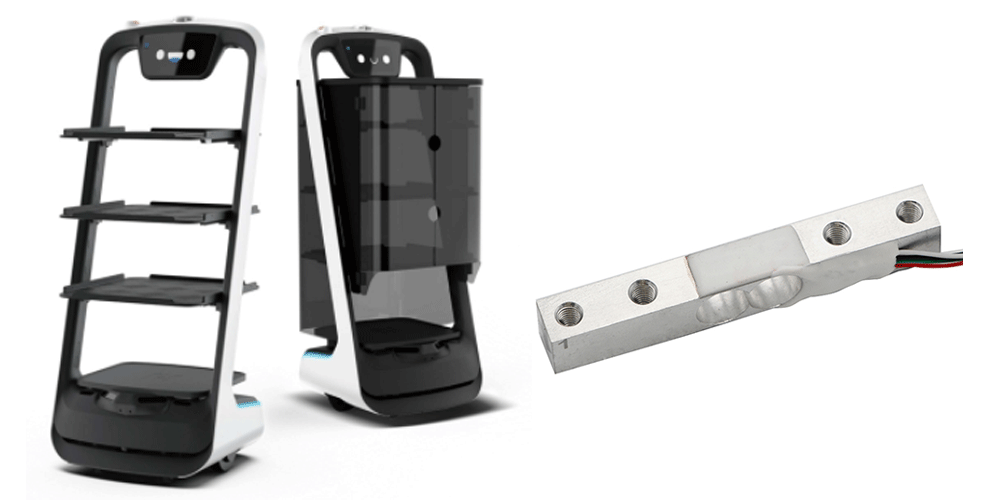
• Weight sensors replace infrared sensing to eliminate blind spots and detect any object on delivery robot trays — regardless of size, shape, or placement.
• Real-time weight monitoring enables overload protection, item placement/removal tracking, and automated delivery confirmation.
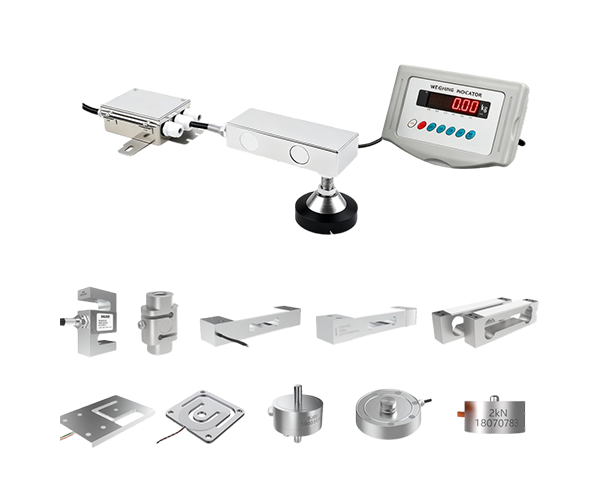
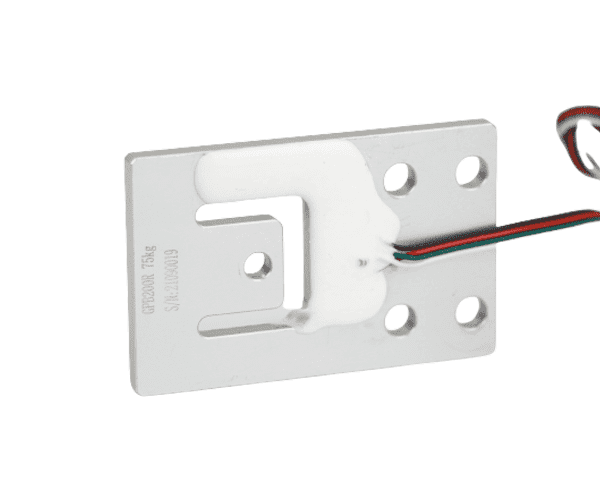
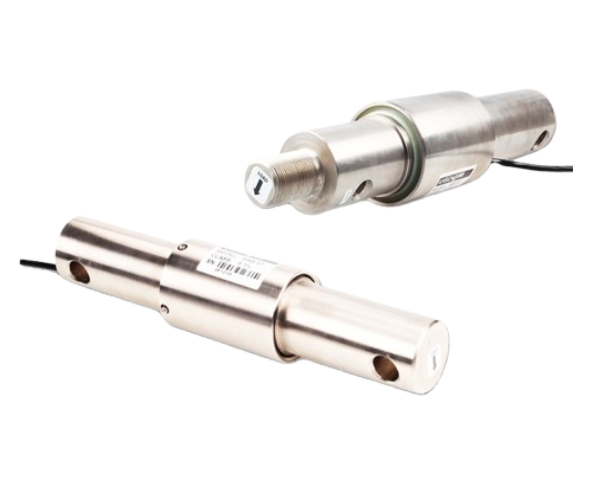
• GALOCE recommends GML611 (1–50 kg, compact) for single-tray robots and GPB100R (3–100 kg, single-point) for multi-tray or heavy-load configurations.
• Full-bridge Wheatstone output with 2.0 mV/V sensitivity ensures reliable readings under vibration and temperature variations in hospitality environments.
Why Delivery Robots Need Weight Sensors
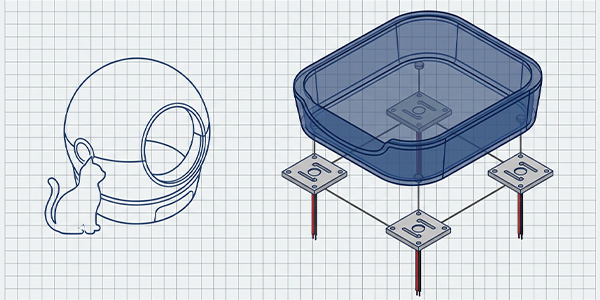
With the rapid adoption of robotics in hospitality, delivery robots have become a common sight in hotels, restaurants, hospitals, and office buildings. These autonomous platforms transport meals, beverages, linens, and supplies — but most commercially available models still rely on infrared (IR) proximity sensors to detect whether an object has been placed on or removed from their trays.
While IR sensors are inexpensive, they introduce critical reliability issues that directly impact service quality and operational efficiency. The table below summarizes the core challenges and how weight-based detection resolves each one:
|
Challenge
|
Root Cause (IR Sensor)
|
Weight Sensor Solution
|
|
Blind spots
|
IR beams cover a fixed line; small or off-center items go undetected
|
Load cell measures total downward force across the entire tray surface
|
|
False negatives
|
Transparent, dark, or low-profile objects absorb IR without reflecting
|
Weight detection is material-independent — any object with mass is registered
|
|
No overload protection
|
IR only detects presence/absence, cannot measure load magnitude
|
Continuous weight signal triggers alerts before tray capacity is exceeded
|
|
Manual intervention
|
Missed detections require staff to verify tray contents manually
|
Reliable detection enables fully autonomous delivery cycles
|
|
No item tracking
|
IR cannot distinguish between one large item and multiple small items
|
Weight delta analysis identifies placement and removal events precisely
|
How the Weight Sensing System Works
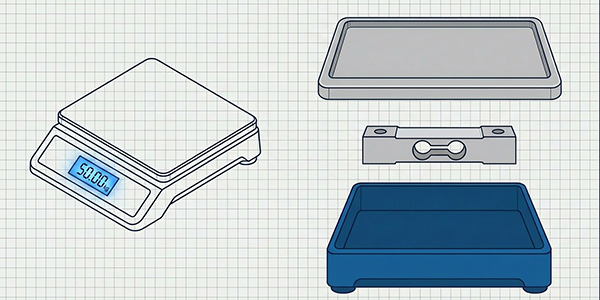
The weighing system converts mechanical force (the weight of placed items) into an electrical signal that the robot's controller can interpret in real time. The complete measurement chain consists of five stages:
|
Stage
|
Component
|
Function
|
Output
|
|
1 — Sensing
|
Strain gauge (full Wheatstone bridge)
|
Deforms elastically under load; bridge unbalance generates mV signal
|
~2.0 mV/V analog
|
|
2 — Amplification
|
Signal conditioner / HX711 ADC
|
Amplifies and digitizes the microvolt signal to 24-bit resolution
|
Digital weight value
|
|
3 — Processing
|
Robot main controller (MCU/SoC)
|
Applies tare, threshold logic, and delta detection algorithms
|
Event flags & weight data
|
|
4 — Decision
|
Navigation & task scheduler
|
Triggers next action: proceed to table, return to kitchen, or alert staff
|
Motion commands
|
|
5 — Feedback
|
Cloud dashboard / POS integration
|
Logs delivery events, weight records, and anomaly alerts for analytics
|
Operational insights
|
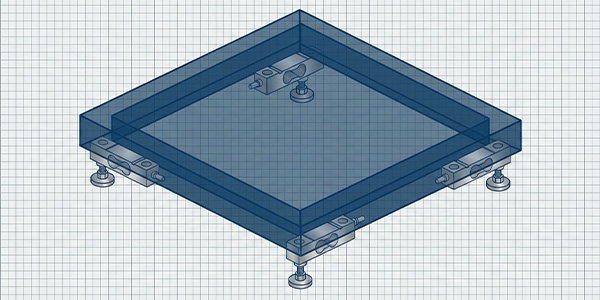
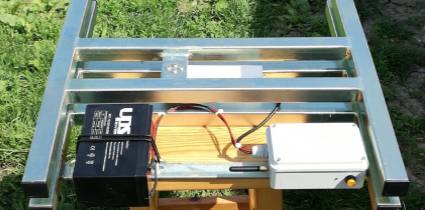
By installing one or more load cells beneath each tray, the robot achieves full-surface coverage — any object placed anywhere on the tray registers a weight change, triggering the appropriate delivery workflow automatically.
Key Benefits of Weight-Based Detection
|
Benefit
|
Description
|
Business Value
|
|
Comprehensive detection
|
Identifies any object — large or small, transparent or opaque, centered or off-center — across the full tray surface
|
Eliminates missed deliveries and customer complaints
|
|
Overload monitoring
|
Real-time weight signal triggers audible/visual alerts when tray capacity is exceeded
|
Protects robot hardware, prevents spills, extends service life
|
|
Item placement / removal tracking
|
Weight delta analysis detects exact moments when items are placed or picked up
|
Enables autonomous multi-stop delivery with per-table confirmation
|
|
Reduced manual labor
|
Reliable detection removes the need for staff to verify tray contents between deliveries
|
Lowers staffing costs and increases delivery throughput
|
|
Data-driven analytics
|
Weight logs feed into cloud dashboards for delivery volume, peak-hour analysis, and item-level tracking
|
Optimizes restaurant workflow and inventory management
|
Technical Requirements for Delivery Robot Load Cells
Delivery robots operate in dynamic environments with constant motion, vibration, and temperature fluctuations. The load cell must meet specific performance criteria to deliver reliable readings under these conditions:
|
Parameter
|
Requirement
|
Why It Matters
|
|
Capacity range
|
1–50 kg per tray (single); up to 100 kg (multi-tray)
|
Covers full spectrum from single beverage to full meal tray sets
|
|
Resolution
|
≤ 1 g (with 24-bit ADC)
|
Detects light items like a single napkin or condiment packet
|
|
Compact dimensions
|
≤ 80 × 20 mm (single-tray); ≤ 130 × 30 mm (multi-tray)
|
Fits within the slim tray base without increasing robot height
|
|
Vibration resistance
|
Full-bridge configuration with symmetric output
|
Rejects common-mode noise from robot locomotion and motor vibration
|
|
Temperature stability
|
−10 °C to +60 °C operating range with low creep
|
Maintains accuracy in kitchen heat and air-conditioned dining areas
|
|
Response time
|
≤ 50 ms settling to ±0.1% of rated output
|
Enables real-time event detection during fast-paced service
|
|
Power consumption
|
≤ 5 V DC excitation, < 20 mA
|
Minimizes battery drain for extended robot uptime
|
|
Bridge type
|
Full Wheatstone bridge (4 active gauges)
|
Maximum sensitivity and temperature compensation vs. half-bridge designs
|
Recommended Load Cells — Model Selection Guide
GALOCE offers three load cell models suited for delivery robot applications, each addressing different tray sizes, payload ranges, and integration constraints. The comparison table below helps you select the optimal model for your robot design:
|
Parameter
|
GML611
|
GML670
|
GPB100R
|
|
Type
|
Micro load cell (full bridge)
|
Micro load cell (full bridge)
|
Single-point load cell
|
|
Material
|
Aluminum alloy
|
Manganese steel
|
Aluminum alloy
|
|
Capacity
|
1, 2, 3, 5, 10, 20, 30, 50 kg
|
10, 20, 30, 50, 100, 200 kg
|
3, 5, 8, 10, 15, 20, 30, 40, 50, 60, 80, 100 kg
|
|
Dimensions
|
80 × 12.7 × 12.7 mm
|
34 × 34 × 8 mm
|
130 × 30 × 22 mm
|
|
Rated output
|
1.0 ± 0.1 mV/V
|
1.0 ± 0.15 mV/V
|
2.0 ± 0.1 mV/V
|
|
Max platform
|
Single-tray (compact)
|
Single-tray (ultra-compact)
|
250 × 350 mm (per sensor)
|
|
Best for
|
Single-tray robots, light payloads (meals, drinks)
|
Ultra-compact robots, space-constrained tray designs
|
Multi-tray robots, heavy payloads, large trays
|
|
Accuracy class
|
C3
|
C3
|
C3
|
Product Details
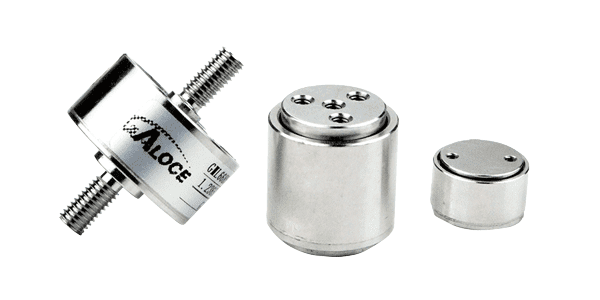
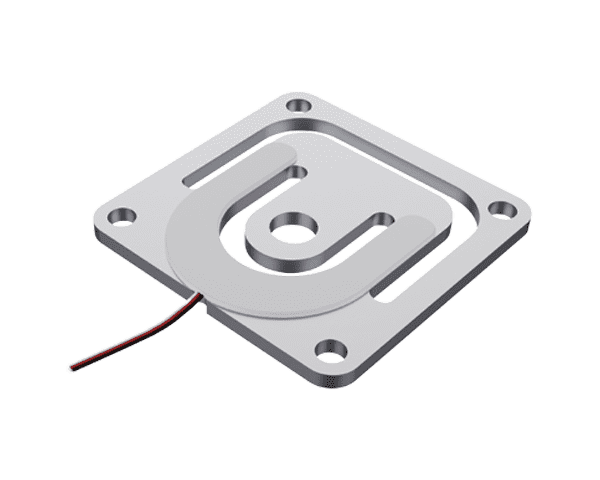
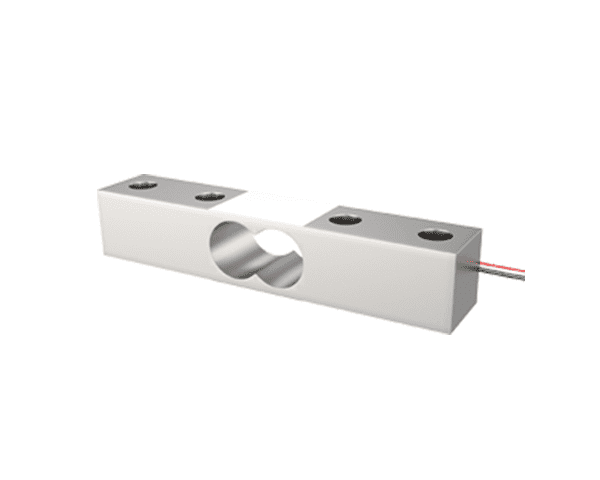
GML611 — Micro Aluminum Alloy Load Cell
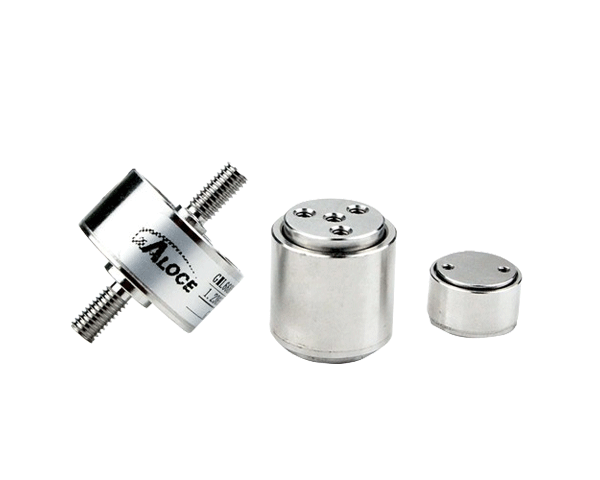
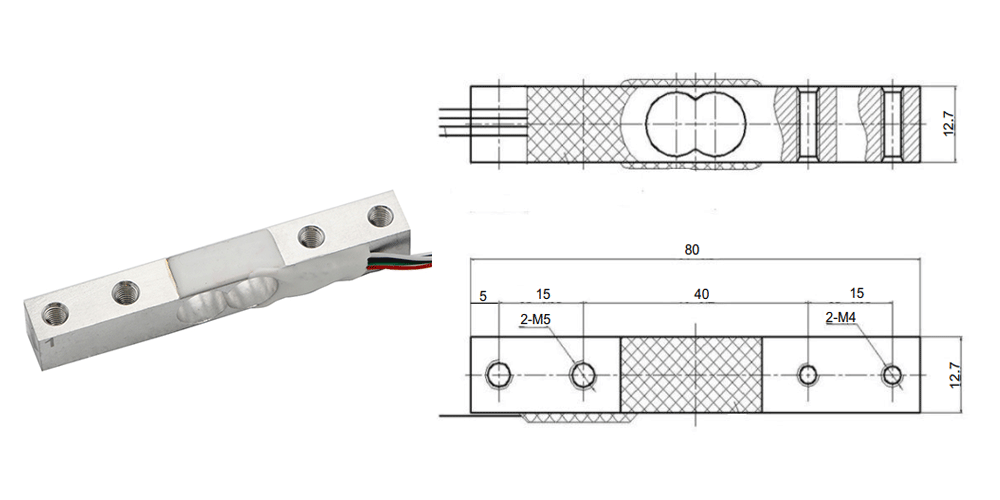
The GML611 is GALOCE's flagship micro load cell for delivery robot applications. Its compact 80 × 12.7 mm footprint fits seamlessly inside slim tray bases, while the full-bridge aluminum alloy construction delivers C3-class accuracy across a 1–50 kg range. Ideal for single-tray robots serving meals, beverages, and room service items.
|
Specification
|
Value
|
|
Capacity
|
1, 2, 3, 5, 10, 20, 30, 50 kg
|
|
Rated output
|
1.0 ± 0.1 mV/V
|
|
Dimensions
|
80 × 12.7 × 12.7 mm
|
|
Material
|
Aluminum alloy
|
|
Bridge type
|
Full Wheatstone bridge
|
|
Accuracy
|
C3 class
|
|
Input resistance
|
350 Ω
|
|
Operating temp.
|
−10 °C to +60 °C
|
|
Excitation voltage
|
5–12 V DC
|
Key features: Compact footprint · Full-bridge design · C3 accuracy · Low power consumption · Easy screw mounting · OEM/ODM customizable
→ View GML611 Product Details
GML670 — Ultra-Compact Manganese Steel Load Cell
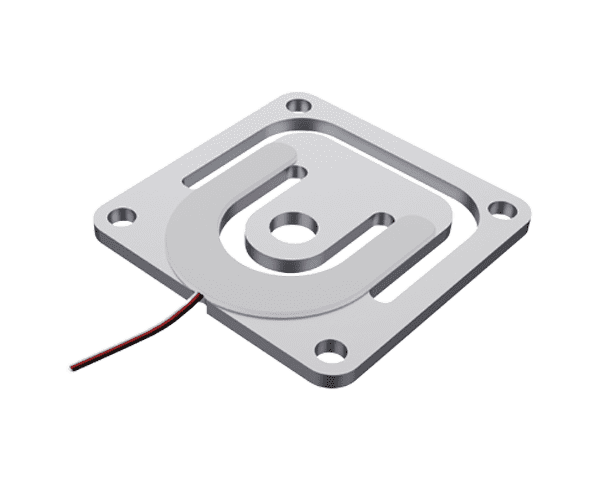
The GML670 offers an ultra-compact 34 × 34 mm square profile with a mere 8 mm thickness — making it ideal for space-constrained tray designs where height clearance is critical. Its manganese steel full-bridge construction provides excellent durability and overload protection for robots operating in high-traffic hospitality environments.
|
Specification
|
Value
|
|
Capacity
|
10, 20, 30, 50, 100, 200 kg
|
|
Rated output
|
1.0 ± 0.15 mV/V
|
|
Dimensions
|
34 × 34 × 8 mm
|
|
Material
|
Manganese steel
|
|
Bridge type
|
Full Wheatstone bridge
|
|
Accuracy
|
C3 class
|
|
Input resistance
|
350 Ω
|
|
Operating temp.
|
−10 °C to +60 °C
|
Key features: Ultra-thin 8 mm profile · Square 34 mm footprint · Steel construction for rugged use · Full-bridge output · High overload capacity · OEM/ODM customizable
→ View GML670 Product Details
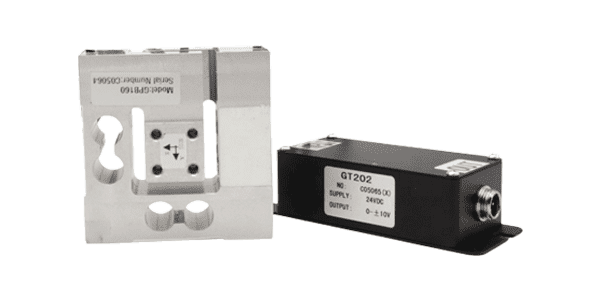
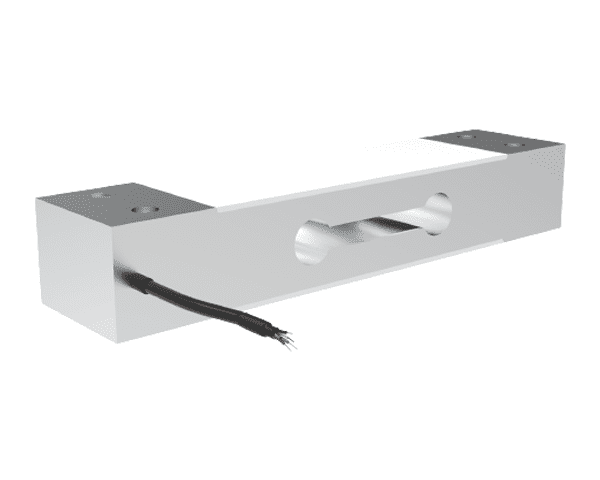
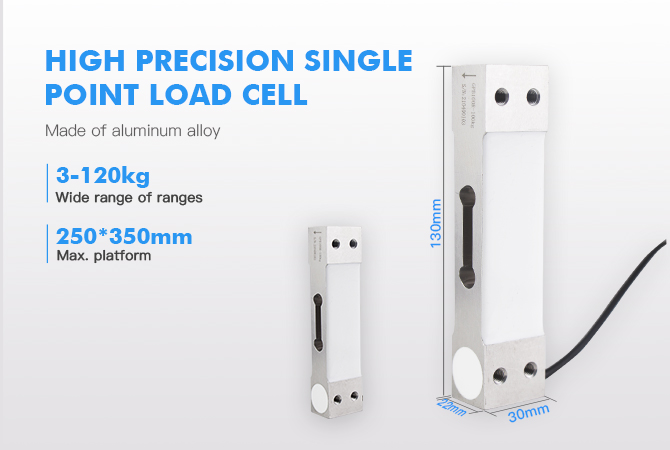
GPB100R — Single-Point Load Cell for Multi-Tray Robots
The GPB100R is a single-point load cell designed for larger tray platforms (up to 250 × 350 mm per sensor). With a 3–100 kg range and 2.0 mV/V sensitivity, it delivers higher signal output and superior four-corner accuracy — making it the preferred choice for multi-tray delivery robots, hotel service robots, and heavy-duty platforms that carry multiple meal sets or bulk items.
|
Specification
|
Value
|
|
Capacity
|
3, 5, 8, 10, 15, 20, 30, 40, 50, 60, 80, 100 kg
|
|
Rated output
|
2.0 ± 0.1 mV/V
|
|
Dimensions
|
130 × 30 × 22 mm
|
|
Material
|
Aluminum alloy
|
|
Max platform
|
250 × 350 mm
|
|
Accuracy
|
C3 class
|
|
Input resistance
|
350 Ω
|
|
Operating temp.
|
−10 °C to +60 °C
|
Key features: Single-point design (no need for 4-sensor junction box) · Four-corner accuracy certified · Higher 2.0 mV/V output · Supports large tray platforms · ISO9001, CE, RoHS certified · OEM/ODM customizable
→ View GPB100R Product Details
Installation & Wiring Guide
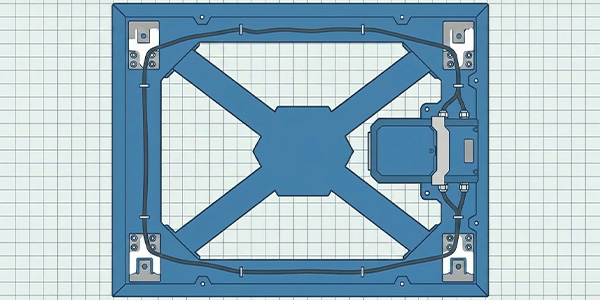
Proper installation is critical for accurate weight readings in delivery robots. Follow these steps for optimal performance:
|
Step
|
Action
|
Notes
|
|
1
|
Select mounting location at tray center-of-gravity
|
Ensure load is applied axially; avoid off-center loads beyond platform spec
|
|
2
|
Secure load cell with M4/M5 screws to rigid tray base
|
Use flat washers; torque to manufacturer spec to prevent loosening under vibration
|
|
3
|
Install rubber dampers between tray and load cell
|
Reduces shock loading from item placement and robot motion
|
|
4
|
Route 4-wire cable to robot controller board
|
Keep cable away from motor wires to minimize EMI; use shielded cable for runs > 30 cm
|
|
5
|
Connect to HX711 or compatible 24-bit ADC module
|
Verify excitation voltage (5 V) and sampling rate (10–80 SPS)
|
|
6
|
Perform tare calibration with empty tray, then apply known weight
|
Set zero offset and scale factor; verify four-corner accuracy
|
4-Wire Full-Bridge Connection (standard color code):
|
Wire Color
|
Function
|
ADC Pin
|
|
Red
|
Excitation + (E+)
|
VCC (5 V)
|
|
Black
|
Excitation − (E−)
|
GND
|
|
Green
|
Signal + (S+)
|
A+
|
|
White
|
Signal − (S−)
|
A−
|
Application Scenarios
Delivery robots equipped with weight sensors are deployed across a growing range of hospitality and service environments:
|
Scenario
|
Typical Payload
|
Recommended Model
|
Key Function
|
|
Restaurant food delivery
|
1–10 kg per tray
|
GML611 (5–20 kg)
|
Confirm meal placement at kitchen; verify pickup at table
|
|
Hotel room service
|
2–15 kg per tray
|
GML611 (10–50 kg)
|
Multi-floor delivery with item verification at each room
|
|
Multi-tray banquet robot
|
5–50 kg total
|
GPB100R (20–100 kg)
|
Multi-stop delivery with per-tray weight tracking
|
|
Hospital meal & medication delivery
|
0.5–5 kg per tray
|
GML611 (1–10 kg)
|
Precise detection of lightweight trays and medication containers
|
|
Office document & supply delivery
|
1–20 kg per tray
|
GML670 (10–50 kg)
|
Ultra-compact integration in narrow-tray office robots
|
|
Cruise ship / resort service robot
|
5–80 kg total
|
GPB100R (30–100 kg)
|
Heavy-duty beverage and buffet tray transport
|
Frequently Asked Questions
Q1: Can one load cell support a multi-tray robot?
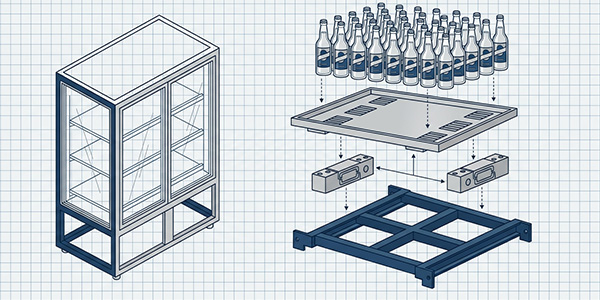
Each tray should have its own load cell for independent weight monitoring. For multi-tray robots, install one GML611 or GPB100R per tray and connect each to a separate ADC channel (or use an RS485 digital model for bus wiring). This enables the robot to track items on each tray individually and execute multi-stop delivery with per-table confirmation.
Q2: How does the weight sensor handle robot vibration during movement?
Full-bridge load cells inherently reject common-mode vibration through their symmetric Wheatstone configuration. Additionally, the robot controller can apply software filtering (moving average or Kalman filter) and only sample weight data when the robot is stationary at a delivery point. Rubber dampers between the tray and load cell further reduce mechanical shock.
Q3: What is the minimum detectable weight on the tray?
With a 24-bit ADC (e.g., HX711) and proper calibration, the system can detect weight changes as small as 1 gram. This means even a single napkin, fork, or condiment packet placed on the tray will register a detectable signal — far exceeding the capability of infrared proximity sensors.
Q4: Should I choose GML611 or GPB100R for my robot?
Choose GML611 if your robot has a single compact tray (≤ 200 mm) with light payloads (1–50 kg) and limited installation space. Choose GPB100R if your robot has larger trays (up to 250 × 350 mm), heavier payloads (up to 100 kg), or requires higher signal output (2.0 mV/V) for improved noise margin. For ultra-thin tray designs with minimal height clearance, the GML670 at 8 mm thickness is the ideal alternative.
Q5: Can the load cell integrate with the robot's existing POS or cloud system?
Yes. The load cell's digital output (via ADC) can be streamed to the robot's main controller via I2C, SPI, or UART. The controller then forwards weight events to the cloud dashboard or POS system via Wi-Fi/5G. GALOCE also offers RS485 digital load cells (GPB100D, GPB158D) for direct bus integration without additional ADC modules.
Ready to Upgrade Your Delivery Robot?
GALOCE provides OEM/ODM load cell solutions tailored to your delivery robot's tray dimensions, payload requirements, and integration architecture. Our engineering team supports you from model selection through calibration and production scaling.
Get a Free Consultation →
Related Topics