Key Takeaway
GALOCE GML611 micro load cell enables real-time, per-door weight monitoring in smart smartphone cabinets — detecting unauthorized phone removal within milliseconds. With a 1–5 kg range, ±0.05% F.S. accuracy, and an ultra-thin 34 mm profile, the GML611 fits inside even the slimmest cabinet compartments, providing a reliable physical-layer security solution for schools, military facilities, hospitals, and corporate environments.
Smart smartphone cabinets have become essential infrastructure in environments where mobile device security is non-negotiable — boarding schools, military bases, hospitals, laboratories, and corporate R&D centers. By integrating a weight sensor under each individual storage compartment, these cabinets create a real-time, per-door monitoring system that instantly detects when a phone is placed or removed, triggering alarms for any unauthorized access.
This article explains how load cell technology works in smartphone cabinet applications, why the GML611 micro load cell is the ideal sensor for this use case, and how to design, install, and calibrate a weight-sensing smartphone cabinet system from end to end.
What Is a Smart Smartphone Cabinet?
A smart smartphone cabinet is a secure storage system designed to manage mobile phones and other small electronic devices in controlled environments. Each cabinet contains multiple individual compartments — typically 20 to 60 doors — each equipped with its own locking mechanism, charging port, and weight sensor. The cabinet is controlled by a central microcomputer that manages access authentication, monitors device status, and communicates with backend management software.
These cabinets are widely deployed in:
|
Application Environment
|
Key Requirement
|
Why Weight Sensors Matter
|
|
Boarding Schools
|
Confiscate phones during study/night hours
|
Detect if a student secretly removes a phone
|
|
Military Facilities
|
Strict confidentiality, no phones in secure zones
|
Physical-layer verification that phone is present
|
|
Hospitals & Laboratories
|
Prevent contamination & distraction
|
Track device check-in/check-out with timestamps
|
|
Corporate R&D Centers
|
Protect intellectual property
|
Ensure devices are stored before entering secure areas
|
|
Government & Exam Halls
|
Prevent cheating & data leaks
|
Verify each compartment holds the assigned device
|
How Do Smart Smartphone Cabinets Work?
A smart smartphone cabinet integrates multiple subsystems to provide a complete secure storage solution. Controlled by an embedded microcomputer, the cabinet supports multiple access authentication methods and real-time device monitoring.
|
Subsystem
|
Function
|
Technology
|
|
Access Authentication
|
Verify user identity before granting access
|
Facial recognition, fingerprint, ID card, card swipe
|
|
Weight Sensor (per door)
|
Detect phone presence/absence in real time
|
GML611 micro load cell + HX711 ADC
|
|
Electronic Lock (per door)
|
Physically secure each compartment
|
Solenoid lock or motorized latch
|
|
Charging System
|
Charge stored devices while in cabinet
|
USB ports or wireless charging pads
|
|
Central MCU
|
Coordinate all subsystems, process sensor data
|
ARM Cortex-M or industrial-grade embedded board
|
|
Backend Software
|
Remote monitoring, logging, alert management
|
Cloud-based management platform + mobile app
|
The cabinet supports multiple access modes — facial recognition, fingerprint scanning, ID card scanning, and card swiping — reducing management costs while ensuring that only authorized users can open specific compartments.
The Evolution of Smartphone Cabinets
Smartphone cabinet technology has evolved through three generations to meet growing security and management demands:
|
Generation
|
Features
|
Limitations
|
|
Gen 1: Manual Lockers
|
Physical key or combination lock, no electronics
|
No monitoring, keys can be lost/duplicated, no audit trail
|
|
Gen 2: Electronic Lockers
|
Electronic lock, RFID/card access, basic logging
|
Only verifies door open/close — cannot confirm device is actually inside
|
|
Gen 3: Smart Cabinets
|
Biometric access, weight sensing, charging, cloud management
|
Higher upfront cost — but eliminates all blind spots of Gen 1 & 2
|
The critical advancement in Gen 3 is the weight sensor. Previous generations could only verify that a door was opened or closed — they could not confirm whether a phone was actually inside. With weight sensing, each compartment has a physical-layer verification that the assigned device is present, eliminating the "empty locker" security gap.
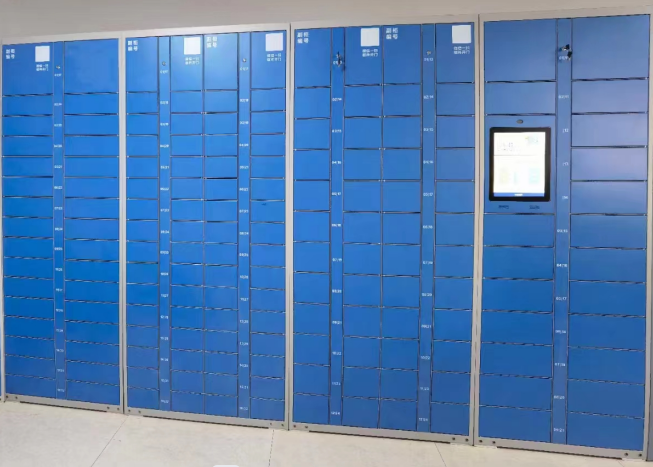
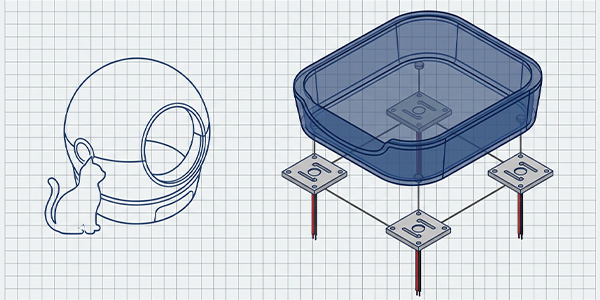
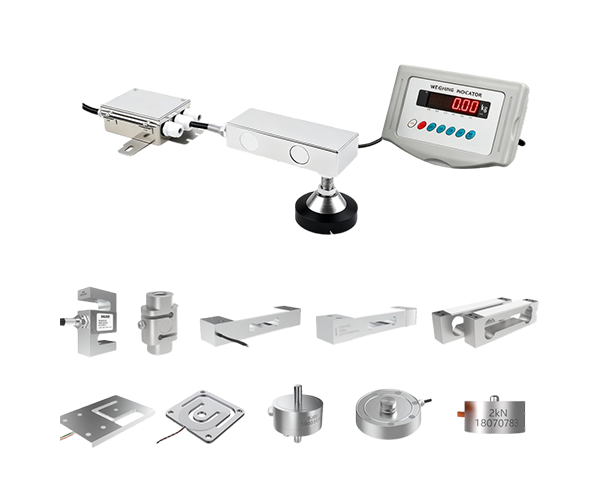
Smartphone cabinet weighing solution — weight sensors installed under each compartment door
Why Are Weight Sensors Ideal for Secure Smartphone Cabinets?
Smartphone cabinets serve environments with strict confidentiality requirements — boarding schools, military facilities, research labs — where the risk of phone loss or theft during controlled storage periods is significant. Weight sensors address a fundamental security gap that other monitoring methods cannot fill:
|
Monitoring Method
|
What It Detects
|
Security Gap
|
|
Door Sensor (Reed Switch)
|
Door open/close event
|
Cannot verify device is inside — user can open, remove phone, close door without detection
|
|
RFID Tag
|
Tagged device proximity
|
Tag can be removed, detached, or left behind while phone is taken
|
|
Camera (Vision)
|
Visual confirmation
|
Privacy concerns, occlusion, poor lighting, high data bandwidth
|
|
Weight Sensor (Load Cell)
|
Physical mass inside compartment
|
None — directly measures device presence; cannot be spoofed by tags or images
|
Weight sensing provides physical-layer verification — the only method that directly confirms the actual mass of the stored object. A phone weighing 180 g cannot be replaced by an RFID tag or a photograph; the load cell will detect the weight difference and trigger an alarm.
How Do Weight Sensors Enhance Security? — Step-by-Step
Installing a weight sensor under each cabinet door creates a per-compartment monitoring system. Here's the complete operational flow:
|
Step
|
Action
|
Technical Detail
|
|
1
|
Zeroing the Platform
|
Before placing a phone, the system tares each compartment to zero, storing the empty-compartment baseline weight in memory
|
|
2
|
Phone Placement & Weight Capture
|
When a phone is placed inside, the GML611 measures the weight (e.g., 185 g) and the MCU records this as the "expected weight" for that door
|
|
3
|
Continuous Monitoring
|
The MCU periodically polls each sensor (every 1–5 seconds), comparing current reading against the stored expected weight
|
|
4
|
Unauthorized Removal Detection
|
If weight drops below threshold (e.g., >50 g decrease) without authorized door-open command, the MCU triggers an immediate alarm
|
|
5
|
Authorized Check-Out
|
When an authorized user authenticates, the system allows weight change, logs the event with user ID and timestamp, and resets to zero
|
|
6
|
Backend Alert & Audit Trail
|
All events are sent to the cloud management platform; unauthorized removals trigger SMS/email push notifications to administrators
|
This system ensures that any unauthorized removal of devices is detected within seconds, enabling immediate response by facility management.
Recommended Load Cell: GML611 Micro Sensor
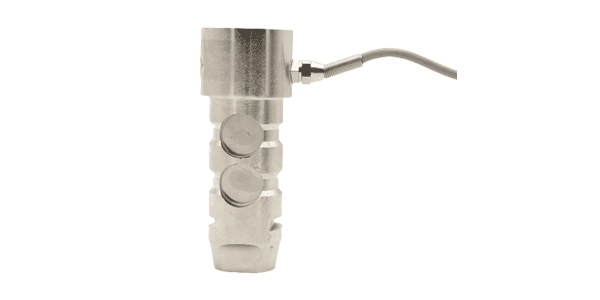
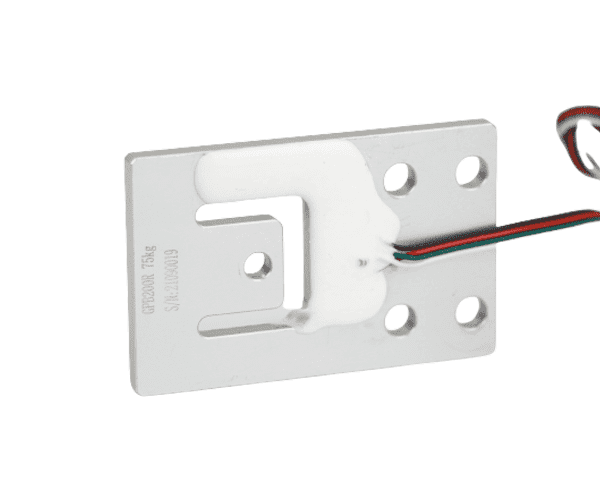
For smartphone cabinet applications, the GML611 micro load cell from GALOCE is the ideal choice. Smartphones typically weigh 150–300 g, and each cabinet compartment has a limited footprint (approximately 80–100 mm wide). The GML611's 1–5 kg range, ultra-compact size, and ±0.05% accuracy make it perfectly suited for this application.
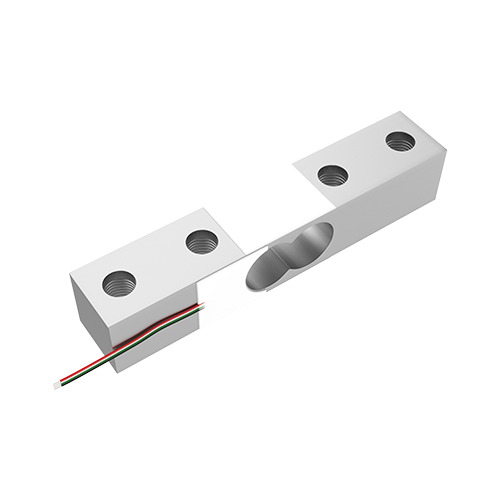
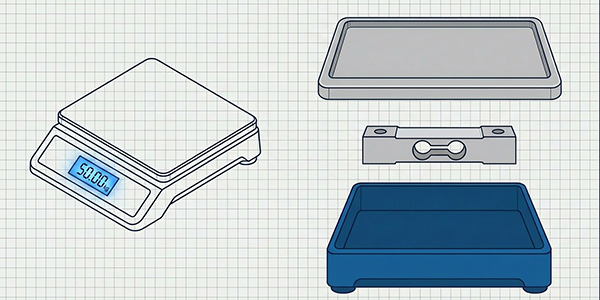
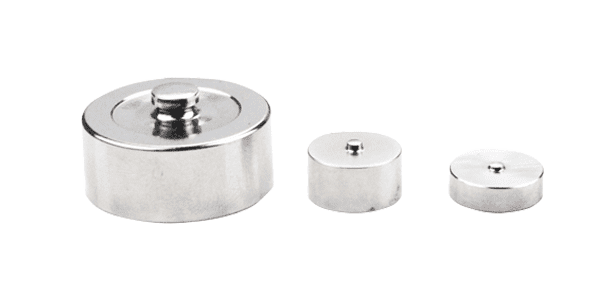
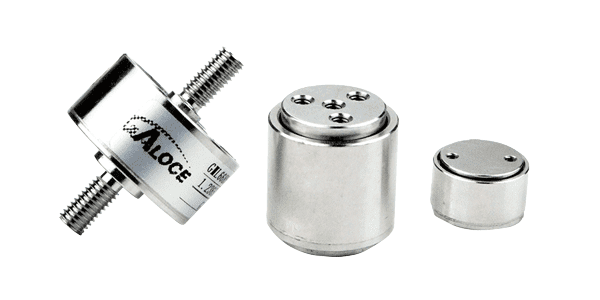
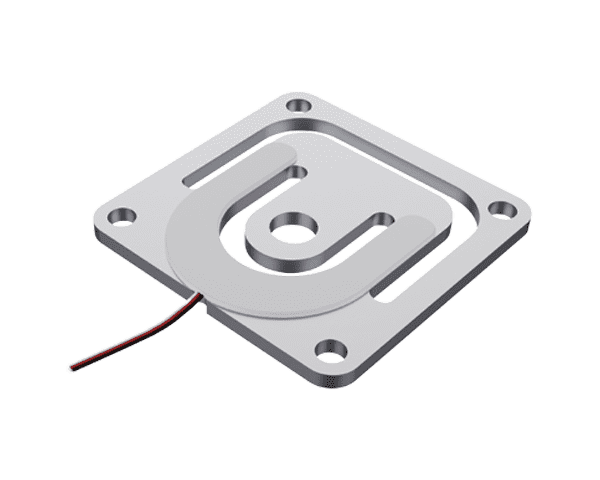
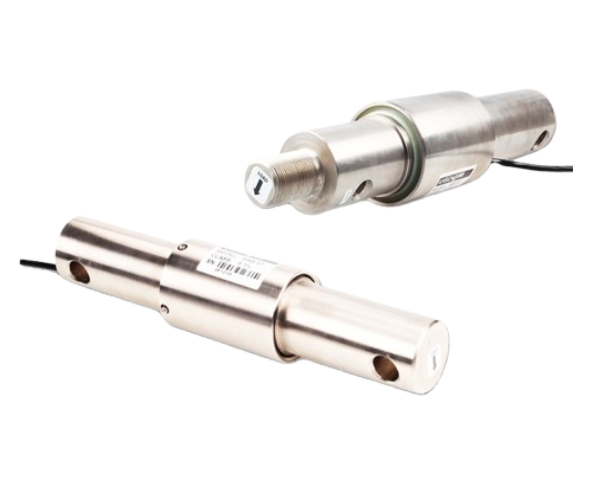
GALOCE GML611 micro load cell — ultra-miniature weighing sensor for confined spaces
GML611 Technical Specifications
|
Parameter
|
Value
|
Relevance to Smartphone Cabinet
|
|
Rated Capacity
|
1–50 kg
|
5 kg range covers phone weight (150–300 g) with ample headroom
|
|
Accuracy
|
±0.05% F.S.
|
Detects weight changes as small as 0.5 g — sufficient to distinguish phone presence/absence
|
|
Sensitivity
|
1.0 ± 0.15 mV/V
|
Standard output compatible with HX711 and most ADC modules
|
|
Creep
|
±0.05% F.S. / 3 min
|
Low drift during long storage periods — maintains accuracy overnight
|
|
Material
|
High-quality Aluminum
|
Lightweight, corrosion-resistant, compliant with RoHS
|
|
Recommended Platform
|
200 × 200 mm
|
Matches standard compartment size for phone storage
|
|
Certifications
|
CE / RoHS
|
Meets international safety and environmental standards
|
|
OEM Support
|
Yes
|
Custom cable lengths and connectors available for cabinet integration
|
GML611 — Featured Advantages for Smartphone Cabinets
|
Ultra-Compact Size
|
Fits inside slim cabinet compartments without adding bulk
|
|
High-Precision Detection
|
±0.05% accuracy reliably detects 150–300 g phone weight changes
|
|
Low Creep Drift
|
Stable readings during overnight or multi-day storage periods
|
|
Aluminum Construction
|
Lightweight, corrosion-resistant, long service life
|
|
Standard Signal Output
|
1.0 mV/V output compatible with HX711 and standard ADCs
|
|
OEM Customization
|
Custom cable lengths and terminal connectors for seamless cabinet integration
|
View GML611 Product Details →
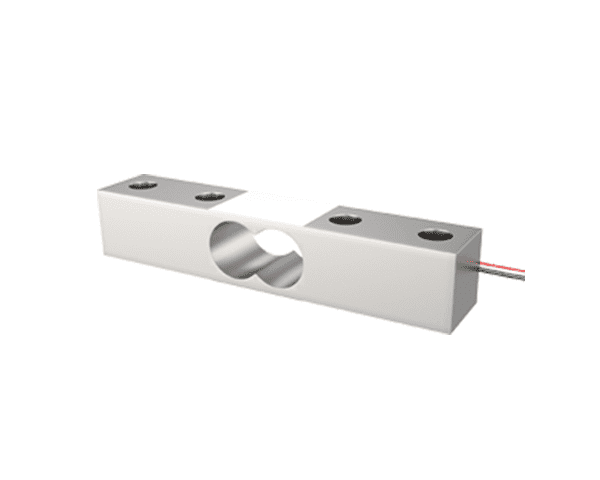
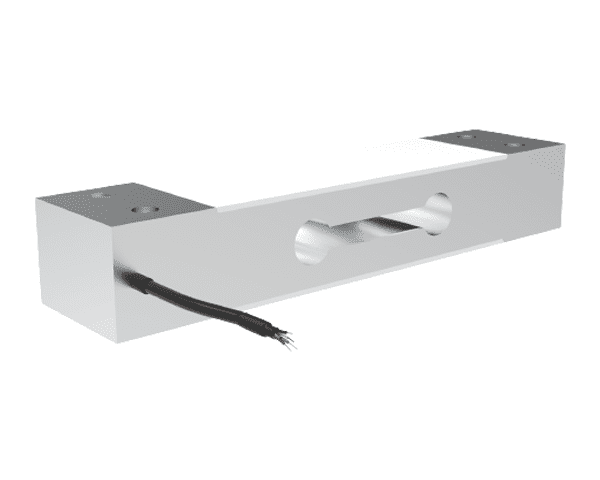
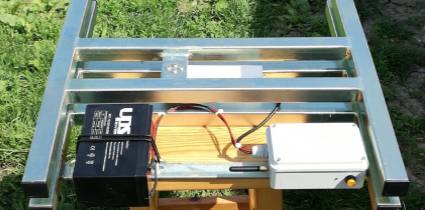
GML611 micro load cell in weighing applications — same compact form factor fits smartphone cabinet compartments
Smartphone Cabinet Types & Sensor Configuration
Different cabinet designs require different sensor configurations. The table below compares the most common smartphone cabinet types and their recommended GML611 deployment:
|
Cabinet Type
|
Compartments
|
GML611 Qty
|
Typical Use Case
|
|
Wall-Mounted Compact
|
10–20
|
10–20
|
Small offices, clinic reception, classroom
|
|
Standard Floor Cabinet
|
30–40
|
30–40
|
School dormitory, military barracks
|
|
Large Capacity Cabinet
|
50–60
|
50–60
|
University exam hall, corporate R&D center
|
|
Charging + Storage Combo
|
20–40
|
20–40
|
Hospital, laboratory with charging needs
|
|
Mobile Cart Cabinet
|
15–25
|
15–25
|
Event management, temporary deployment, conference
|
System Architecture: From Sensor to Cloud
A complete weight-sensing smartphone cabinet system consists of a signal chain from the physical sensor to the cloud management platform. Each GML611 sensor connects through an analog-to-digital converter to the central MCU, which aggregates data from all compartments and communicates with the backend:
|
Stage
|
Component
|
Function
|
|
1
|
GML611 Load Cell (per door)
|
Converts phone weight into analog mV signal via Wheatstone bridge
|
|
2
|
HX711 ADC Module
|
24-bit ADC amplifies and digitizes the mV signal; typically 1 HX711 per 4–8 doors via multiplexer
|
|
3
|
Central MCU (ARM Cortex)
|
Polls all ADC channels, runs weight-change detection algorithm, manages door locks and access control
|
|
4
|
Display & UI Panel
|
Touchscreen for user authentication, status display, and door selection
|
|
5
|
Network Module (Wi-Fi / Ethernet / 4G)
|
Transmits event data to cloud server; receives configuration updates
|
|
6
|
Cloud Management Platform
|
Real-time monitoring dashboard, audit trail, alert push (SMS/email), user management, reporting
|
Installation & Wiring Guide
Mechanical Installation
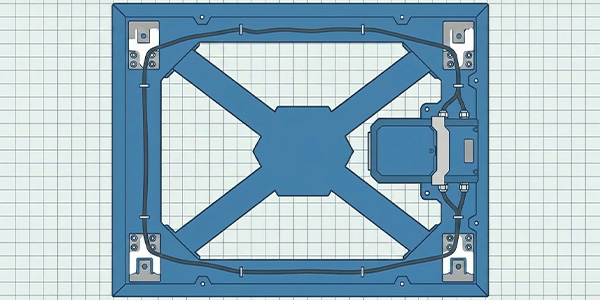
Each GML611 sensor is mounted beneath the compartment floor plate, with one end fixed and the other end free to deflect under load:
-
Fixed end: Bolt the sensor's fixed mounting hole to the cabinet frame using M4 screws with spring washers
-
Loading end: Attach the compartment floor plate to the sensor's loading thread; ensure the plate rests freely on the sensor without touching the cabinet frame
-
Clearance gap: Maintain a 0.5–1.0 mm gap between the floor plate and cabinet frame to prevent mechanical interference
-
Cable routing: Route sensor cables through the cabinet's internal cable channels; avoid pinching or sharp bends
-
Level mounting: Ensure each sensor is mounted on a level surface; use shims if the cabinet frame has tolerances
-
Vibration isolation: For mobile cart cabinets, add rubber dampers between sensor and frame to suppress road vibration
Wiring: GML611 to HX711
The GML611 uses a standard 4-wire Wheatstone bridge configuration. Wire each sensor to the HX711 ADC module as follows:
|
Wire Color
|
HX711 Pin
|
Function
|
|
Red
|
E+
|
Excitation + (supply voltage)
|
|
Black
|
E-
|
Excitation - (ground)
|
|
Green
|
A+
|
Signal + (measurement output)
|
|
White
|
A-
|
Signal - (measurement output)
|
For cabinets with more than 8 doors, use an analog multiplexer (e.g., CD4051 or HX711 with channel expansion) to scan multiple sensors through a shared ADC, reducing component cost and PCB footprint.
5-Step Calibration Process
|
Step
|
Action
|
Detail
|
|
1
|
Power-on warm-up
|
Leave system powered for 15 minutes to stabilize sensor output
|
|
2
|
Zero calibration (tare)
|
With all compartments empty, record each sensor's zero reading as baseline
|
|
3
|
Span calibration
|
Place a calibrated 200 g weight in each compartment; record ADC value to establish scale factor
|
|
4
|
Threshold setting
|
Set alarm threshold to 50 g — if weight drops by more than 50 g from expected value, trigger alarm
|
|
5
|
Removal test
|
Place a phone, then remove it without authorization; verify alarm triggers within 5 seconds
|
Selection Criteria: Why GML611 Fits Smartphone Cabinets
|
Criterion
|
GML611 Spec
|
Why It Matters for Smartphone Cabinets
|
|
Capacity Range
|
1–50 kg (use 5 kg)
|
Phones weigh 150–300 g; 5 kg range provides 15× headroom for overload protection
|
|
Accuracy
|
±0.05% F.S.
|
5 kg × 0.05% = 2.5 g resolution — far exceeds the ~150 g phone weight signal
|
|
Physical Size
|
Ultra-miniature
|
Fits inside 80–100 mm compartment width without adding cabinet depth
|
|
Platform Size
|
200 × 200 mm
|
Matches standard compartment footprint; phone sits fully on the weighing platform
|
|
Creep Stability
|
±0.05% / 3 min
|
Maintains accuracy during overnight storage — no false alarms from sensor drift
|
|
Material
|
Aluminum (RoHS)
|
Corrosion-resistant for humid environments; environmentally compliant
|
|
Cost Efficiency
|
OEM pricing
|
Per-unit cost is low enough for 30–60 sensor deployment in a single cabinet
|
Application Case: GML611 in Smartphone Cabinet Deployment
Background
A boarding school with 1,200 students needed to securely store 600 smartphones each night. Their existing electronic lockers could only track door open/close events — students could remove a phone and close the door without detection. The school required a system that could verify each phone's physical presence in real time.
Challenge
-
600 compartments requiring individual weight monitoring
-
Limited compartment size (90 × 120 mm) — sensor must be ultra-compact
-
Overnight storage — sensor must not drift over 8+ hours
-
Budget constraint — per-sensor cost must be low enough for 600-unit deployment
Solution
GALOCE supplied 600 GML611 sensors (5 kg range) with custom-length cables. Each sensor was mounted beneath the compartment floor plate, connected to an HX711 ADC via an 8-channel multiplexer. The central MCU scanned all 75 groups (8 doors per group) every 3 seconds.
Results
|
Metric
|
Result
|
|
Detection Accuracy
|
100% — zero undetected removals in 6 months
|
|
False Alarm Rate
|
< 0.1% — no drift-related false alarms
|
|
Response Time
|
< 3 seconds from removal to alarm
|
|
Sensor Cost per Door
|
Under budget with OEM pricing
|
Market Trends in Smart Device Storage
|
Trend
|
Description
|
Impact on Sensor Selection
|
|
IoT & Cloud Integration
|
Cabinets increasingly connected to cloud platforms for remote management, real-time alerts, and analytics
|
Sensors with stable digital output preferred for long-term reliability
|
|
Multi-Device Storage
|
Cabinets expanding beyond phones to store tablets, laptops, and wearables
|
Wider capacity range needed; GML611's 1–50 kg range covers most small devices
|
|
Wireless Charging Integration
|
Built-in wireless charging pads becoming standard in premium cabinets
|
Thinner sensor profiles needed to accommodate charging coil height
|
|
Regulatory Compliance
|
Growing requirements for audit trails in schools, military, and government
|
Weight-sensing provides tamper-proof physical evidence for compliance
|
|
AI-Powered Analytics
|
Pattern recognition on weight data to detect usage anomalies and predict device loss
|
High-accuracy sensors (±0.05%) enable fine-grained data for ML models
|
|
Ultra-Slim Design
|
Cabinet manufacturers reducing compartment depth for wall-mounted and space-saving models
|
Micro sensors like GML611 essential for fitting inside slim compartments
|
Frequently Asked Questions
Q1: Why use a load cell instead of a simple pressure switch?
A pressure switch only provides a binary on/off signal — it can tell if something is pressing on it, but cannot distinguish between a phone (180 g) and a pen (20 g). A load cell like the GML611 measures the actual weight, allowing the system to verify that the correct device is stored. This prevents someone from placing a different object of similar size to fool the sensor.
Q2: Can the GML611 detect the difference between different phone models?
Yes. With ±0.05% accuracy on a 5 kg range, the GML611 provides 2.5 g resolution — more than enough to distinguish between phones that differ by 10–30 g. The system can be configured to recognize specific phone weights and alert if a different device is placed in a compartment.
Q3: How many sensors do I need for a 40-door cabinet?
You need one GML611 per compartment door — so 40 sensors for a 40-door cabinet. The sensors connect to HX711 ADC modules (each handling up to 8 doors via multiplexer), so you would need 5 HX711 modules for 40 doors. The central MCU polls all modules in sequence.
Q4: Will temperature changes in the cabinet affect sensor accuracy?
The GML611 has built-in temperature compensation. For typical indoor environments (10–40 °C), the sensor maintains its ±0.05% accuracy. For extreme temperature environments, the system can implement software-based temperature compensation by periodically re-zeroing when the compartment is known to be empty.
Q5: What happens if someone places a phone case or charger in the compartment?
The system records the total weight at check-in. If a phone (180 g) plus a case (30 g) are placed together, the system stores 210 g as the expected weight. If the weight later drops by more than the alarm threshold (e.g., 50 g), the alarm triggers. The threshold is configurable per deployment.
Q6: Can GML611 sensors be used in outdoor or mobile cart cabinets?
The GML611 is designed for indoor use. For outdoor or mobile cart cabinets, we recommend adding rubber vibration dampers to the sensor mounting and using a weatherproof enclosure. For outdoor-only deployments, consider sensors with higher IP ratings. Contact GALOCE for application-specific recommendations.
Build Your Smart Smartphone Cabinet with GML611
Whether you're designing a 20-door wall-mounted unit for a classroom or a 60-door floor cabinet for a military facility, the GML611 micro load cell provides the precision, compactness, and reliability your application demands. With OEM customization for cable length, connectors, and calibration, GALOCE can tailor the GML611 to your exact cabinet specifications.
Related Topics
In summary, smart smartphone cabinets equipped with weight sensors represent a significant advancement in mobile device management. The GML611 micro load cell provides the precision (±0.05% F.S.), compact size, and cost efficiency needed for per-door deployment across 20–60 compartment cabinets. By integrating physical-layer weight verification, these cabinets eliminate the blind spots of door-only monitoring systems, ensuring that every device is accounted for in real time — making them invaluable for schools, military facilities, hospitals, and any environment where mobile device security is critical.