How to Troubleshoot Common Load Cell Problems: Drift, Noise, and Incorrect Readings

TIME: 2026.01.18 AUTHOR: Carol Li NUMBER OF VIEWS 70
Load cells are critical components in countless industries, from manufacturing and logistics to healthcare and aerospace. These precision instruments convert force or weight into electrical signals, enabling accurate measurements that drive decision-making, quality control, and safety. However, like any technology, load cells are prone to issues that can compromise their performance. Among the most common problems are drift, noise, and incorrect readings—each with distinct causes and solutions. In this guide, we’ll break down these issues, explore their root causes, and provide step-by-step troubleshooting strategies to help you get your load cell back to optimal performance. Whether you’re a seasoned engineer or a maintenance technician new to load cells, this article will equip you with the knowledge to diagnose and resolve problems efficiently.

Understanding Load Cells: A Quick Primer

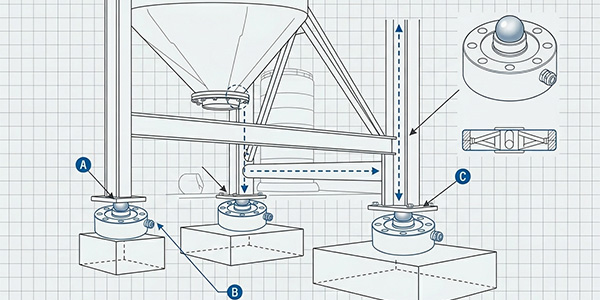
Before diving into troubleshooting, it’s essential to grasp how load cells work. At their core, load cells are transducers that use strain gauges to measure deformation under force. When a load is applied, the strain gauges (typically arranged in a Wheatstone bridge configuration) change resistance, producing a small electrical signal proportional to the force. This signal is then amplified and processed by a data acquisition system or indicator to display the weight or force reading.
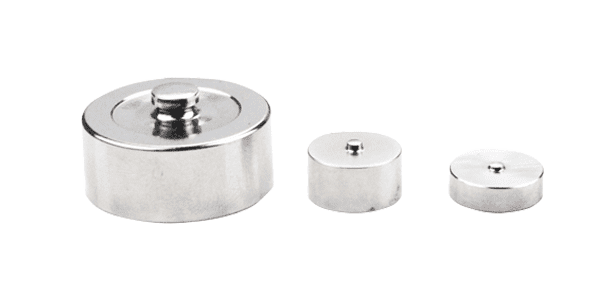
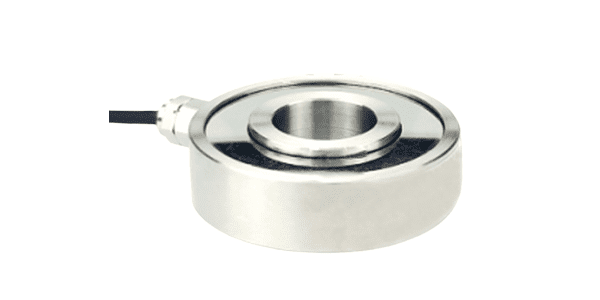
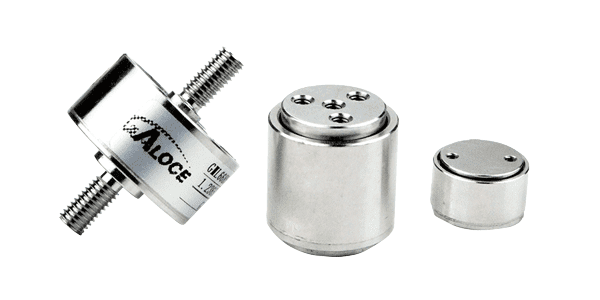
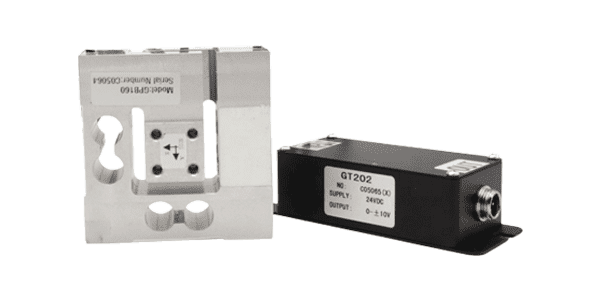
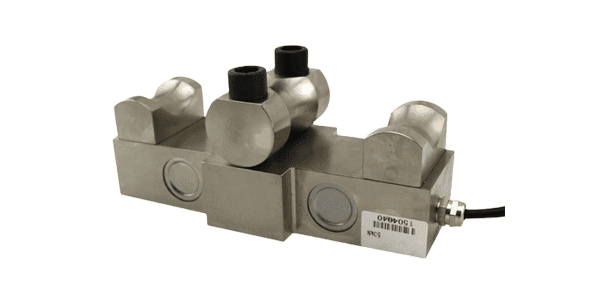
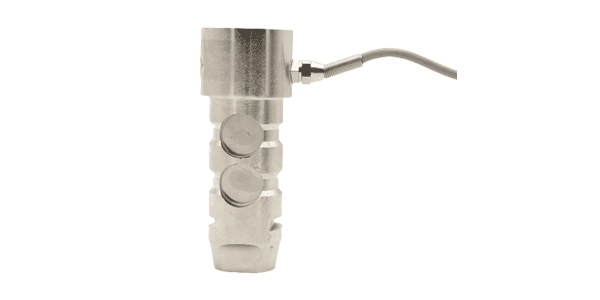
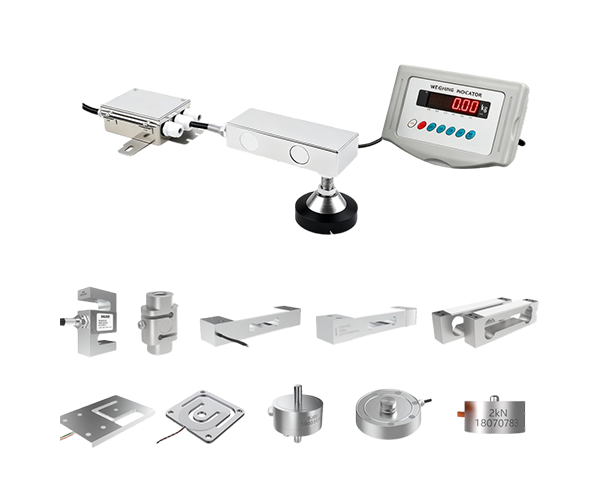
Load cells come in various types, including compression, tension, and shear load cells, each designed for specific applications. Common materials include aluminum, steel, and stainless steel, chosen for their durability and ability to maintain accuracy under load. Despite their robust design, load cells are sensitive to environmental factors, installation errors, and wear and tear—all of which can lead to the problems we’ll address here.

Problem 1: Drift—When Readings Gradually Shift

What Is Drift?

Drift refers to a slow, gradual change in load cell readings over time, even when the applied load remains constant. For example, a scale might show a 5-pound increase over an hour with no weight added. Drift can be temporary (reversible) or permanent (indicating a more serious issue), and it often stems from environmental factors or internal component degradation.

Common Causes of Drift

1. Temperature Fluctuations

Load cells are highly sensitive to temperature changes. Strain gauges and the load cell body expand or contract with temperature, altering resistance and output. For instance, in a manufacturing plant with unregulated heating or cooling, a load cell might drift as the ambient temperature rises or falls. This is especially problematic in outdoor applications or environments with extreme temperature swings.

2. Humidity and Moisture Infiltration

Moisture can corrode strain gauges, damage wiring, or create leakage currents in the Wheatstone bridge. Even a small amount of water or condensation inside the load cell housing can cause drift over time. This is common in washdown environments (e.g., food processing) or outdoor installations exposed to rain or humidity.

3. Creep

Creep is a phenomenon where the load cell’s output continues to change after a constant load is applied, even when temperature is stable. It’s often caused by material fatigue in the load cell body or strain gauges. Over time, repeated loading and unloading can weaken the material, leading to gradual deformation and drift.

4. Electrical Interference

While noise (covered later) is a sudden disturbance, prolonged exposure to electromagnetic interference (EMI) or radiofrequency interference (RFI) can cause slow drift. Sources include nearby motors, power lines, or wireless devices that disrupt the load cell’s signal over time.

5. Aging Components

Like all electronics, load cells have a lifespan. Over years of use, strain gauges may degrade, solder joints can weaken, or internal wiring may develop micro-fractures. These issues can cause gradual drift as the load cell’s performance degrades.

How to Troubleshoot Drift

Step 1: Isolate the Load Cell

First, confirm that the drift is coming from the load cell itself, not the indicator or data acquisition system. Disconnect the load cell from the indicator and connect a known-good load cell (if available). If the drift stops, the problem is likely with the original load cell. If not, the issue may lie in the indicator, wiring, or power supply.

Step 2: Check Environmental Conditions

Temperature: Use a thermometer to monitor ambient temperature during operation. If drift correlates with temperature changes, consider installing a temperature-compensated load cell or adding insulation around the load cell to stabilize its environment.
Humidity: Inspect the load cell housing for signs of moisture, such as rust or corrosion. If moisture is present, dry the load cell thoroughly and seal any cracks or openings with waterproof sealant. In high-humidity environments, choose load cells with IP67 or IP68 ratings for water resistance.

Step 3: Test for Creep

To test for creep, apply a constant load (e.g., 50% of the load cell’s capacity) and monitor the reading over 30 minutes to an hour. If the reading continues to change by more than the manufacturer’s specified creep tolerance (typically 0.01-0.1% of full scale), the load cell may need replacement.

Step 4: Inspect Wiring and Connections

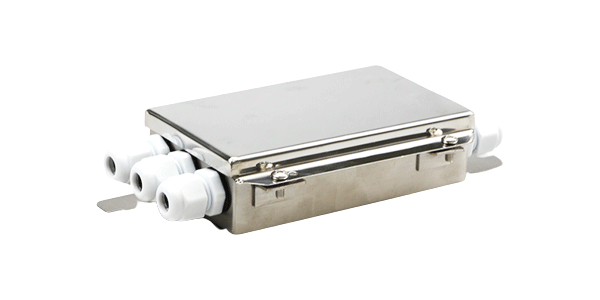
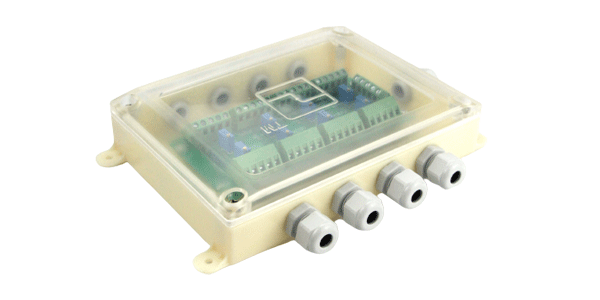
Loose or corroded wiring can cause resistance changes, leading to drift. Check all connections between the load cell, junction box, and indicator. Clean corrosion with a wire brush and ensure terminals are tight. Replace any damaged wires or connectors.

Step 5: Shield Against EMI/RFI

If electrical interference is suspected, move the load cell away from sources of EMI (e.g., motors, transformers) or shield the wiring with grounded metal conduit. Using twisted-pair cables for load cell connections can also reduce interference.

Problem 2: Noise—Unwanted Signal Disturbances

What Is Noise?

Noise appears as random, fluctuating readings even when the load is stable. Unlike drift, which is gradual, noise is often sudden and erratic—think of a scale jumping between 100 and 102 pounds when a 100-pound weight is placed on it. Noise can make readings unreliable and, in severe cases, render the load cell unusable.

Common Causes of Noise

1. Electrical Interference

EMI and RFI are the primary culprits behind noise. Sources include nearby power lines, variable frequency drives (VFDs), welding equipment, or even cell phones. These devices emit electromagnetic waves that induce unwanted currents in the load cell’s wiring, corrupting the signal.

2. Grounding Issues

Poor grounding is a frequent cause of noise. If the load cell, indicator, and other equipment are not grounded properly, ground loops can form—circuits where current flows between different ground points, creating noise in the signal. For example, if the load cell is grounded to a different electrical panel than the indicator, a potential difference between the grounds can cause interference.

3. Loose or Damaged Wiring

Frayed wires, loose terminals, or broken strain gauge leads can create intermittent connections, leading to noise. Even a tiny gap in a wire can cause the signal to fluctuate as the connection makes and breaks contact.

4. Vibration

Excessive vibration from machinery or nearby equipment can cause the load cell to oscillate, leading to noisy readings. Vibration can also loosen connections over time, exacerbating the problem.

5. Overloading

While overloading typically causes permanent damage, repeated exposure to loads beyond the load cell’s capacity can stretch or damage strain gauges, leading to noisy output as the gauges struggle to maintain consistent resistance.

How to Troubleshoot Noise

Step 1: Identify the Source of Interference

  • EMI/RFI: Turn off nearby equipment (e.g., motors, VFDs) one by one to see if noise decreases. If it does, that device is the source. Move the load cell away from it or shield the wiring.
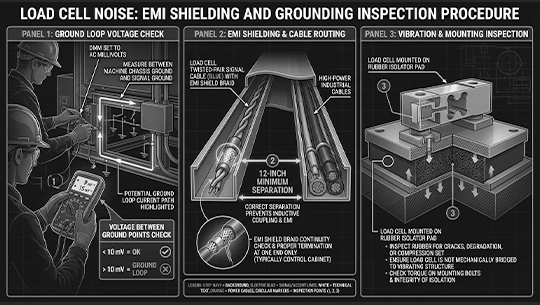
  • Ground Loops: Use a multimeter to check for voltage between the load cell’s ground and the indicator’s ground. A reading above 10mV indicates a ground loop. To fix this, ensure all equipment shares a common ground point or use an isolation transformer.

Step 2: Inspect Wiring

  • Check for frayed or damaged wires, especially near connectors. Replace any compromised wiring.
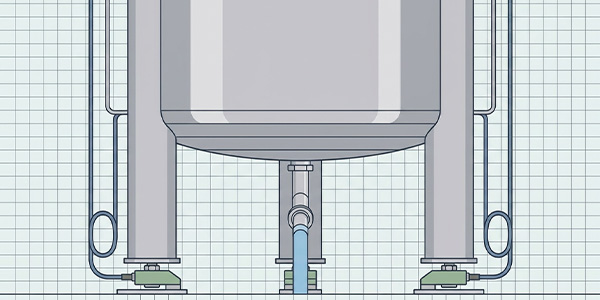
  • Ensure wires are routed away from power cables (keep a minimum distance of 12 inches) to avoid cross-talk. Use twisted-pair cables for load cell connections, as they cancel out electromagnetic interference.

Step 3: Secure the Load Cell

If vibration is an issue, mount the load cell on a stable, vibration-dampening base. Use rubber isolators or shock absorbers to reduce movement. Tighten all mounting bolts to prevent the load cell from shifting during operation.

Step 4: Check for Overloading

Review the load cell’s specifications to ensure it’s rated for the application’s maximum load. If overloading is suspected, inspect the load cell for physical damage (e.g., bent load buttons, cracked body). If damaged, the load cell will need replacement.

Step 5: Test with a Known Signal

Connect the load cell to a signal generator or use a calibration weight to apply a known load. If the noise persists, the problem may be with the load cell itself. If the noise disappears, the issue is likely in the wiring or indicator.

Problem 3: Incorrect Readings—When Measurements Don’t Match Reality

What Are Incorrect Readings?
Incorrect readings occur when the load cell’s output does not reflect the actual applied load. This can manifest as readings that are consistently too high, too low, or completely inaccurate (e.g., a 50-pound weight registering as 30 pounds). Unlike drift or noise, incorrect readings are often immediate and consistent, pointing to issues with calibration, installation, or component failure.

Common Causes of Incorrect Readings

1. Calibration Errors

Load cells require periodic calibration to ensure accuracy. Over time, factors like temperature, wear, and drift can throw off calibration. If a load cell hasn’t been calibrated in years, it may consistently under- or over-read.

2. Installation Mistakes

Improper installation is a leading cause of incorrect readings. Common errors include:
  • Off-Center Loading: If the load is applied off-center, the load cell may not measure the full force, leading to low readings.
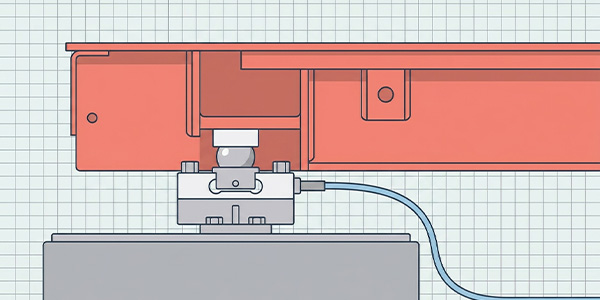
  • Binding: The load cell must be free to move slightly under load. If it’s constrained by bolts or brackets, binding can cause inaccurate readings.
  • Inadequate Mounting: Using the wrong mounting hardware (e.g., bolts that are too long or too short) can stress the load cell, altering its output.

3. Damaged Strain Gauges

Strain gauges are delicate and can be damaged by physical impact, overloading, or corrosion. A cracked or delaminated strain gauge will not change resistance properly, leading to incorrect readings.

4. Faulty Indicator or Instrumentation

Sometimes the problem isn’t the load cell but the device displaying the reading. A malfunctioning indicator, broken amplifier, or faulty analog-to-digital converter (ADC) can distort the signal, leading to incorrect values.

5. Wiring Polarity Issues

Reversing the wires connecting the load cell to the indicator can cause the output signal to be inverted or weakened. For example, swapping the excitation and signal wires may result in no reading or a negative value.

How to Troubleshoot Incorrect Readings

Step 1: Recalibrate the Load Cell

Calibration is the first step in resolving incorrect readings. Use a set of certified calibration weights to test the load cell at multiple points (e.g., 25%, 50%, 75%, 100% of capacity). Compare the readings to the known weights. If they’re off, follow the manufacturer’s instructions to recalibrate the indicator or load cell.

Step 2: Inspect Installation

  • Check Loading Alignment: Ensure the load is applied directly to the load cell’s center of force. Use a spirit level to verify that the load cell is mounted horizontally (for compression cells) or vertically (for tension cells).
  • Look for Binding: Gently wiggle the load cell to ensure it has freedom of movement. If it’s stuck, loosen mounting bolts or adjust brackets to eliminate constraints.
  • Verify Mounting Hardware: Use the manufacturer-recommended bolts and torque settings. Over-tightening can strain the load cell, while under-tightening can cause movement.

Step 3: Test Strain Gauges

Use a multimeter to measure the resistance of the strain gauge bridge. Most load cells have a nominal resistance (e.g., 350 ohms). If the resistance is significantly higher or lower than specified, the strain gauges may be damaged. For example, a shorted gauge will show near-zero resistance, while an open gauge will show infinite resistance.

Step 4: Check the Indicator

Connect the load cell to a different indicator or data logger. If the readings improve, the original indicator is likely faulty. Test the indicator with a known-good load cell to confirm.

Step 5: Verify Wiring Polarity

Refer to the load cell’s wiring diagram to ensure wires are connected correctly. The excitation wires (typically red and black) provide power to the bridge, while the signal wires (green and white) carry the output. Swapping signal wires can invert the reading, while swapping excitation wires may damage the load cell.

Preventive Maintenance: Avoiding Load Cell Problems

While troubleshooting is essential, preventing problems in the first place saves time and money. Here are key preventive maintenance steps:

1. Regular Calibration

Follow the manufacturer’s recommended calibration schedule (usually annually, but more often in harsh environments). Use certified weights and document all calibration results for traceability.

2. Environmental Protection

  • Keep load cells clean and dry. In wet or dusty environments, use protective covers or enclosures.
  • Install temperature and humidity monitors near load cells to detect changes that could cause drift.

3. Inspect Wiring and Connections

Monthly, check for loose terminals, corrosion, or damaged wires. Clean connections with a dry cloth and apply anti-corrosion spray if needed.

4. Monitor Load Conditions

Avoid overloading the load cell. Use overload stops or limit switches to prevent accidental overloading. If the application involves dynamic loads (e.g., sudden impacts), choose a load cell with a higher capacity than the maximum expected load.

5. Train Personnel

Ensure operators and maintenance staff understand proper load cell handling. Avoid dropping or hitting load cells, and never use them for tasks outside their rated capacity.

Conclusion

Load cells are the backbone of precision measurement, but drift, noise, and incorrect readings can undermine their reliability. By understanding the root causes of these issues and following systematic troubleshooting steps, you can quickly diagnose and resolve problems. Remember to start with the simplest fixes—checking wiring, environmental conditions, and calibration—before moving to more complex solutions like replacing components.

Preventive maintenance is equally important: regular calibration, environmental protection, and careful handling will extend your load cell’s lifespan and ensure accurate readings for years to come. Whether you’re in manufacturing, logistics, or research, a well-maintained load cell is an investment in quality, safety, and efficiency.
By mastering these troubleshooting techniques, you’ll minimize downtime, reduce costs, and keep your operations running smoothly. After all, in the world of measurement, accuracy is everything—and a reliable load cell is the first step toward achieving it.

HOT keyword: Load Cell
Recommend View More
TIME 2026.01.23

Why Use Shear Beam Load Cells for Livestock Scales?

Discover why shear beam load cells are ideal for livestock scales. Learn how they handle off-center weighing, harsh environments, heavy loads, and animal movement with superior accuracy and durability. See real-world case studies and cost-saving benefits.
TIME 2026.01.22

How Portable Axle Weighing Scales Work and Their Application Scenarios

Discover how portable axle weighing scales work and their versatile applications across industries. Learn about load cell technology, key components like digital indicators and wireless connectivity, and step-by-step weighing procedures. Explore real-world scenarios in fleet management, construction, agriculture, logistics, waste management, and law enforcement. Understand the advantages of portable scales—cost-effectiveness, mobility, compliance support, and time efficiency—and get tips on choosing the right model for your needs. This comprehensive guide also debunks common myths and highlights future trends like IoT integration and AI-powered analytics for smart weighing solutions.

TIME 2026.01.21

How Load Cells Empower IoT Smart Weighing Systems

Explore how load cells integrate with IoT technology to create smart weighing systems that enhance efficiency, accuracy, and connectivity across industries. Learn how IoT-enabled load cells enable real-time data monitoring, predictive maintenance, remote calibration, and seamless cloud integration for logistics, manufacturing, agriculture, and smart infrastructure. This article explains the role of strain gauge sensors, wireless communication, and data analytics in transforming traditional weighing systems into intelligent, automated solutions. Discover the benefits of smart weighing—including reduced operational costs, improved decision-making, and increased system reliability—and how Galoce supports IoT-ready load cell solutions.

029-81292510

info@galoce.com

Rm. 1208, Building B, Huixin IBC, No. 1 Zhang Bayi Road, High-tech Zone, Xi'an, Shaanxi, China

Copyright © Xi'an Gavin Electronic Technology Co., Ltd Site Map

Message Form